MarketCast

Partners

A connected-TV audience of retail investors

MarketCast turns any smart TV into a live market dashboard — real-time prices for thousands of stocks, ETFs, indexes and crypto, cloud-synced portfolios and watchlists, and a customizable live market Stream. Native apps on Apple TV, Amazon Fire TV and Android / Google TV, operated by AdamApps LLC (US) since 2016.

Our viewers are exactly who brokerage, exchange and fintech brands want to reach: engaged investors who put the market on the biggest screen in the room — and leave it there. All traffic is 100% organic from the three TV app stores. No paid installs, no incentivized traffic, no bots.

~3,700
Monthly active investors
10×
US audience growth since April
~1,200 hrs
Watch time last month
47+ min
Top 5% session length
+36%
More daily actives on market trading days
#1 US
Top market — 86% of paying subscribers

Source: Google Analytics 4, smart-TV apps, trailing 30 days (July 2026).

Inside the app — real screens

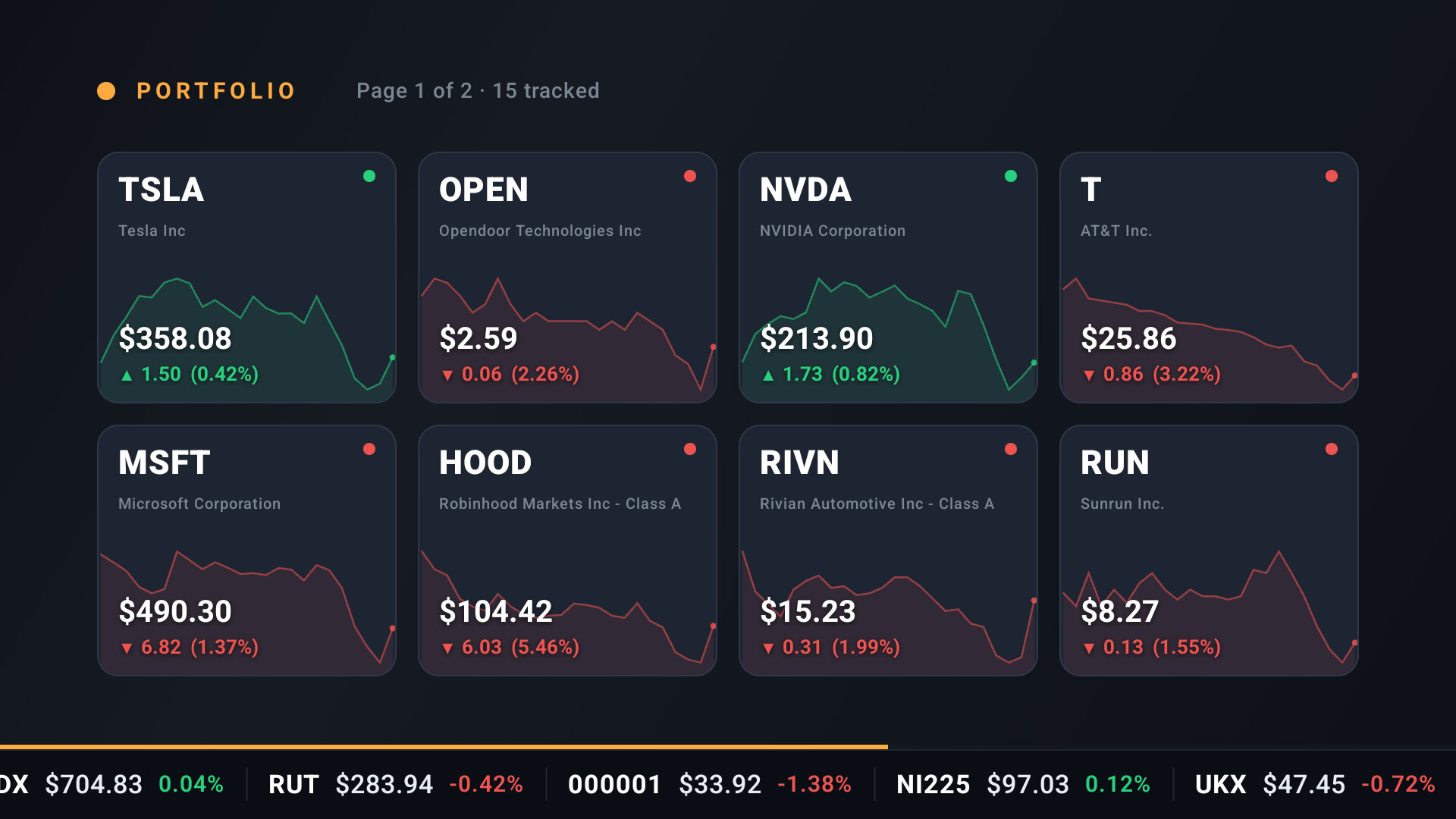
Actual 1080p captures from the production app running on a Google TV device. The home dashboard is the hub; the Stream is the ambient mode — a full-screen rotation of market scenes with a live ticker bar that investors leave running. Partner offers join this rotation as their own scene.
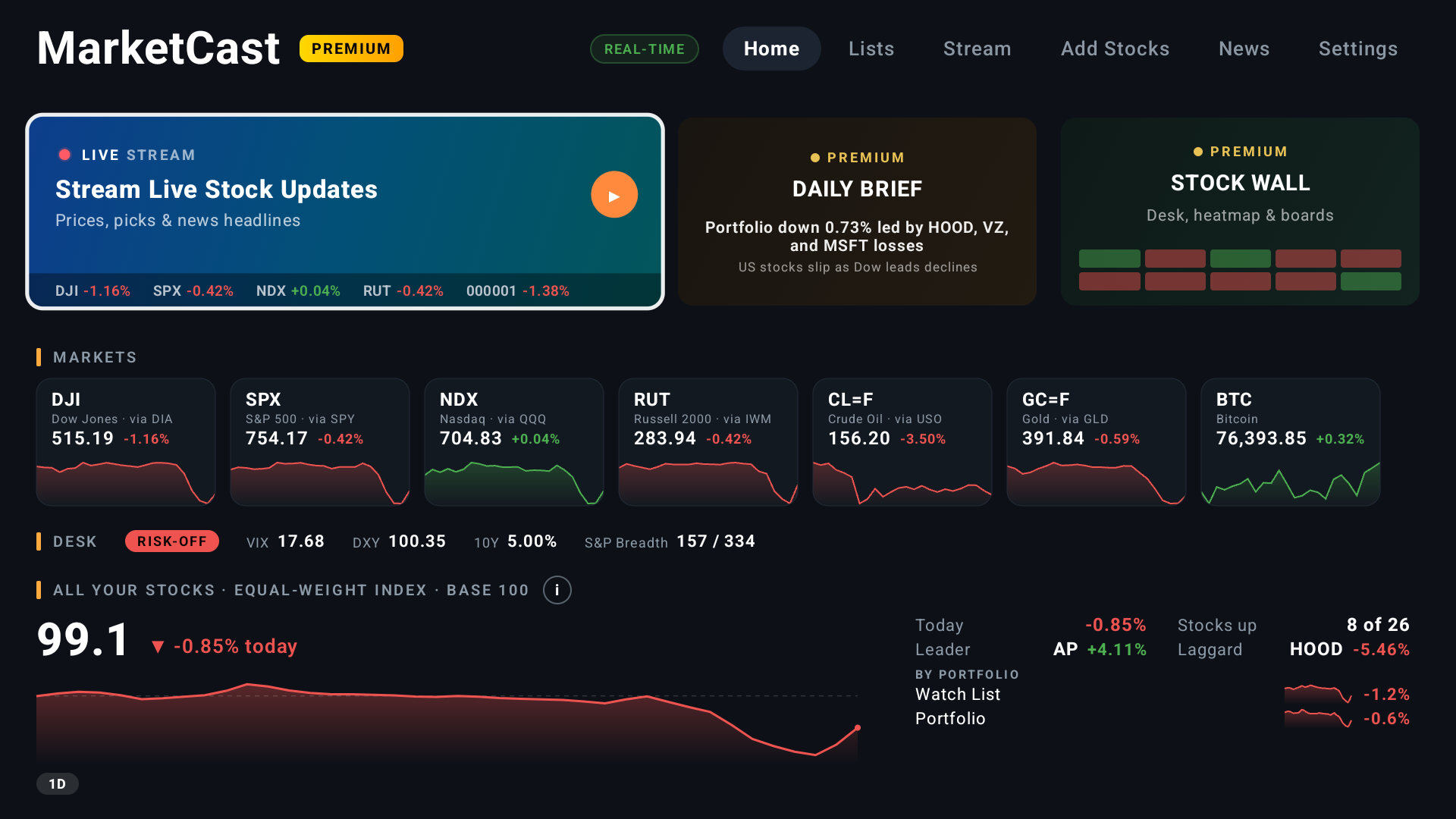
MarketCast home dashboard on a TV — live indexes, crypto and portfolio
Home dashboard — live markets, crypto, portfolio and the Stream launcher
Stream scene: the viewer's portfolio with sparkline charts and live ticker
Stream scene: Portfolio — the viewer's own holdings, paged
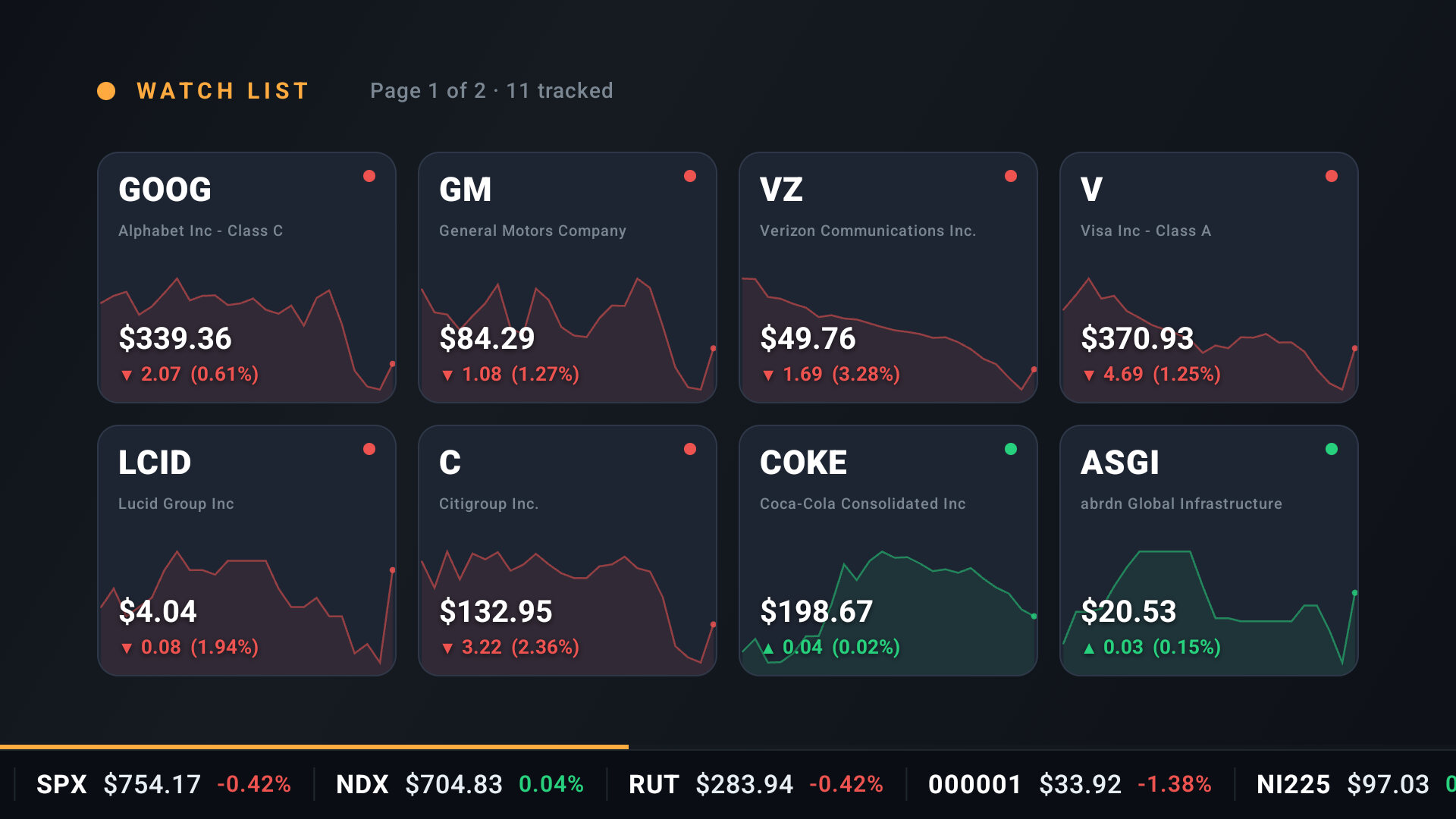
Stream scene: watch list cards with price history
Stream scene: Watch List — tracked symbols with price history
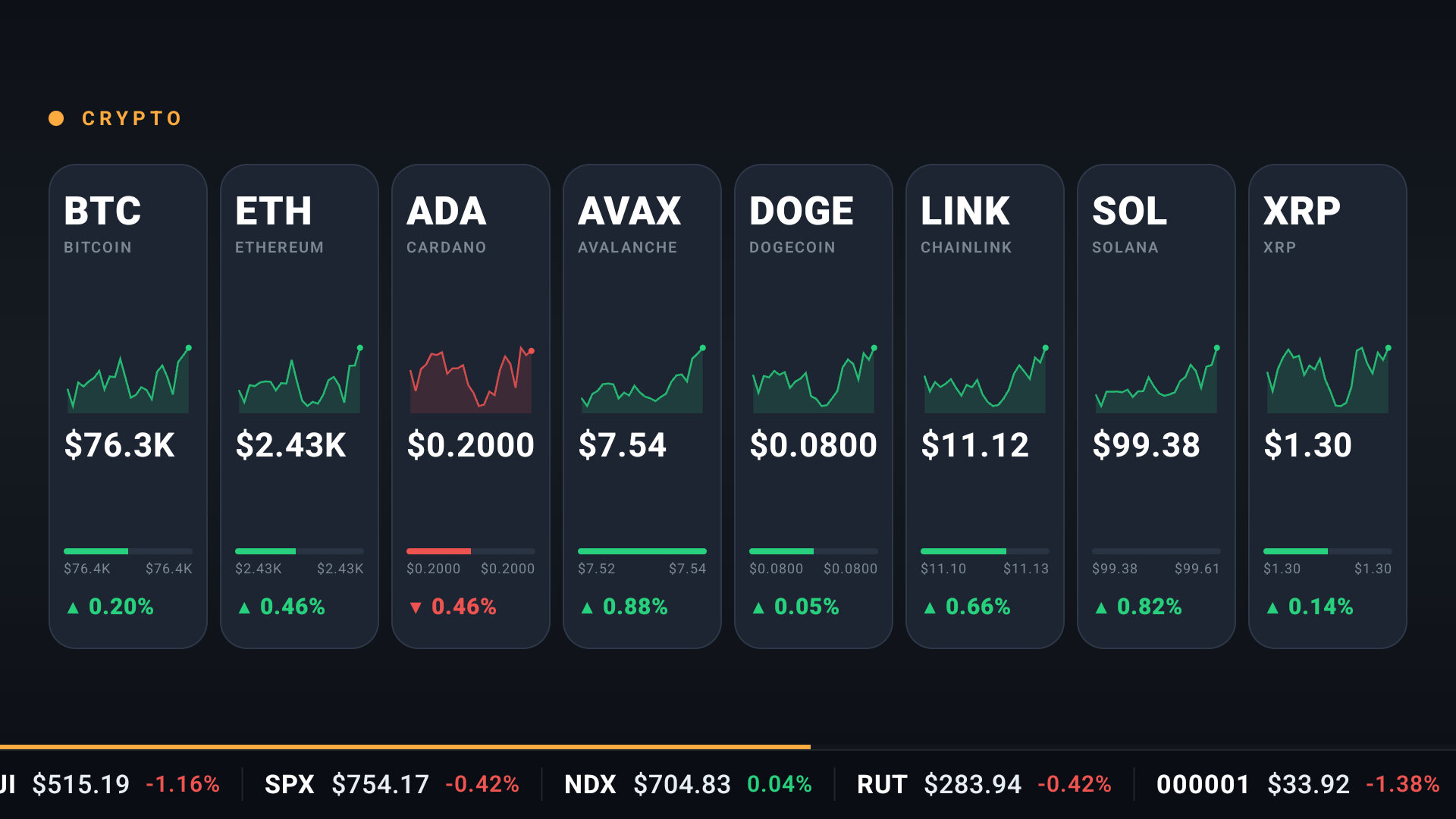
Stream scene: crypto prices with day-range and sparklines
Stream scene: Crypto — where crypto-targeted offers appear
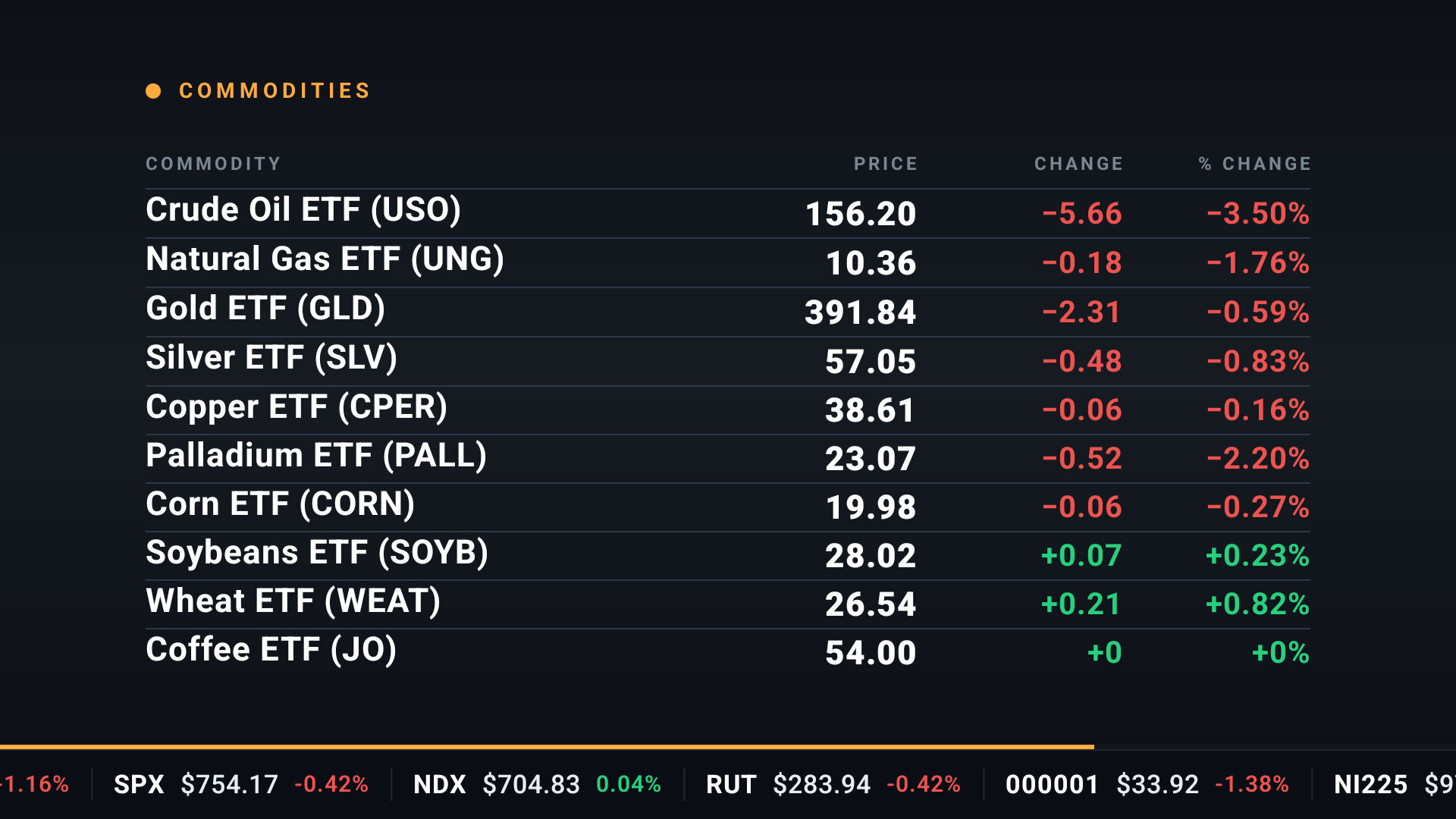
Stream scene: commodities table with prices and changes
Stream scene: Commodities — one of many rotating market views

Every scene carries the live ticker bar — the screen is never static, and a 9-second offer scene reads as part of the broadcast, not an interruption.

How a partner placement works

Every partner offer is delivered as an on-screen QR call-to-action — no remote typing, no interruption — and tracked end-to-end from TV impression to phone conversion.

1

CTA on the TV

Your offer appears on-screen as a QR card — shown natively, in context, only to free-tier users.

2

Scan with phone

The viewer scans with their phone camera, carrying our tracking link with your SubID.

3

Convert on phone

Sign-up, account funding, or offer claim completes in the mobile browser on your page.

4

Attributed

Impression, scan and conversion are logged per placement — clean TV-to-phone attribution.

Placement 1 — the live market Stream

The Stream is MarketCast's ambient mode: a rotation of full-screen market scenes (indexes, heatmaps, top movers, portfolio views) that investors leave running for long stretches. Your offer appears as its own scene in the rotation — it interleaves with market content and never interrupts or pauses anything. Cadence is server-controlled and frequency-capped.
Partner Offer

Open an account with Your Brand and claim your welcome bonus

Commission-free trading on stocks & ETFs. Scan to get started in minutes.
Sponsored. Investing involves risk, including possible loss of principal. Terms apply — see partner site for details.
QR code linking to partner signup
Scan to open an account

Illustrative rendering of the Stream offer scene ("Your Brand" replaced by the partner). Headline, CTA and disclosure text are configured server-side per offer. The QR here is live — it links to our download page.

Placement 2 — stock detail pages

The highest-intent moment in the app: the viewer has selected a specific stock and is looking at its price, chart and fundamentals. Your CTA renders alongside the quote — and it's context-aware: offers target by asset class, so an equities broker appears on stock symbols and a crypto exchange only on crypto assets.
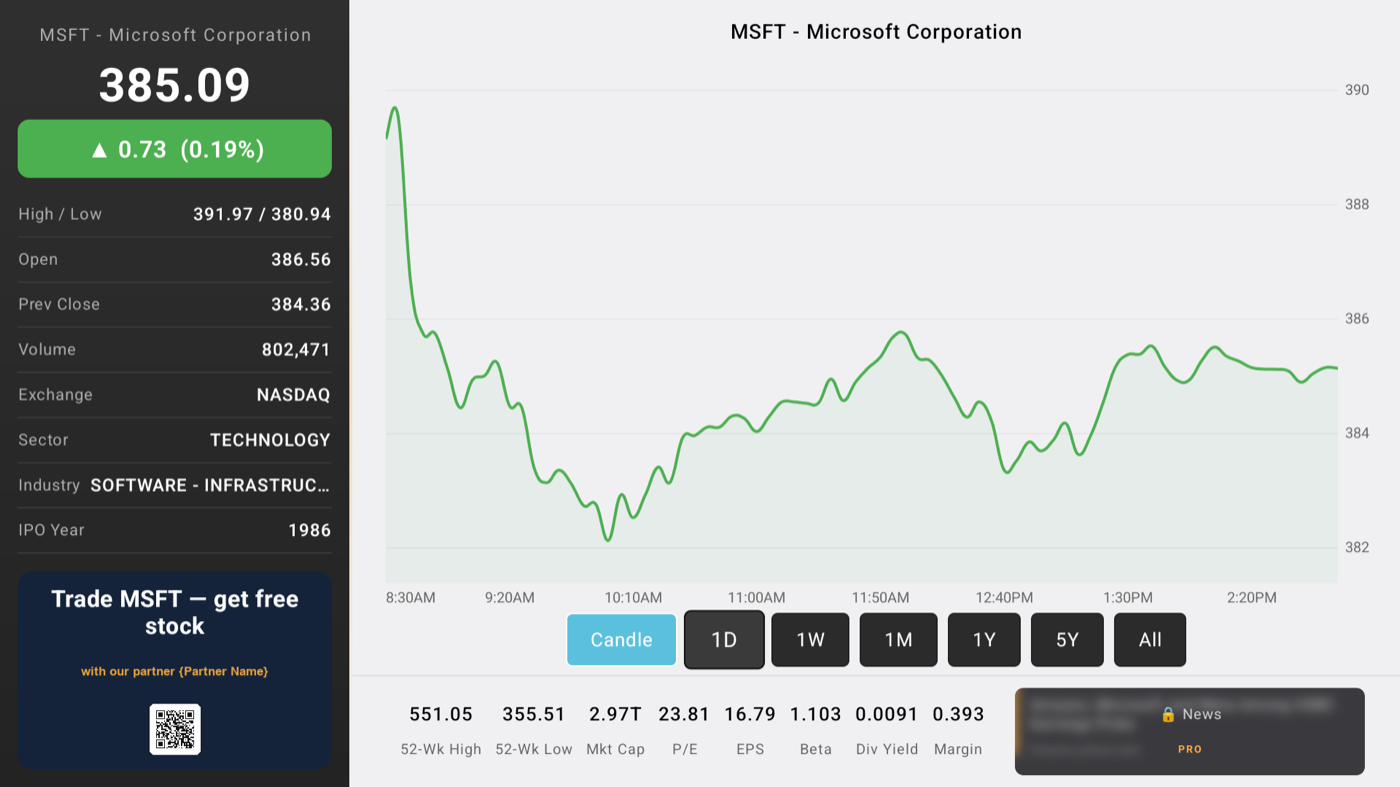
Actual stock-detail page from the app: MSFT quote, chart, and the partner offer card with QR code
Actual capture of the stock-detail placement from the production app (Microsoft shown). The offer card is symbol-aware — "Trade MSFT" — with the partner name templated here pending your launch; headline, CTA and disclosure are configured server-side per offer. The QR in this image links to our download page.

Compliance & quality, built in

  • Server-controlled disclosure on every placement. Each offer carries its own disclosure line, configured per partner — your required risk warnings and disclaimers display verbatim on the TV card.
  • Geo-fencing. Offers serve only in the countries you approve, enforced server-side. US-only programs never reach non-US viewers.
  • Asset-class targeting. Equities offers on stocks/ETFs, crypto offers only on crypto assets.
  • Frequency capping. Server-driven first-show delay and cooldown between exposures; placements interleave with content and never interrupt it.
  • Free-tier only. Paying subscribers see no partner offers at all.
  • Full-funnel tracking. Server-side impression logging, SubID click parameters on every scan, and server-to-server postback support for conversion reporting — impression → scan → conversion joins in our own database, not just client analytics.
  • Approved Impact.com partner (ADAMAPPS LLC). We also work with direct programs and insertion orders.

Let's talk

Brokerages, exchanges and fintech brands — reach investors at the moment they're watching the market.

partners@marketcast.co Download Media Kit (PDF)