
The stock market and your stock portfolio on your TV
Your stocks, the market and the headlines, cycling full screen on the biggest screen in the room. Free to download, no account needed.
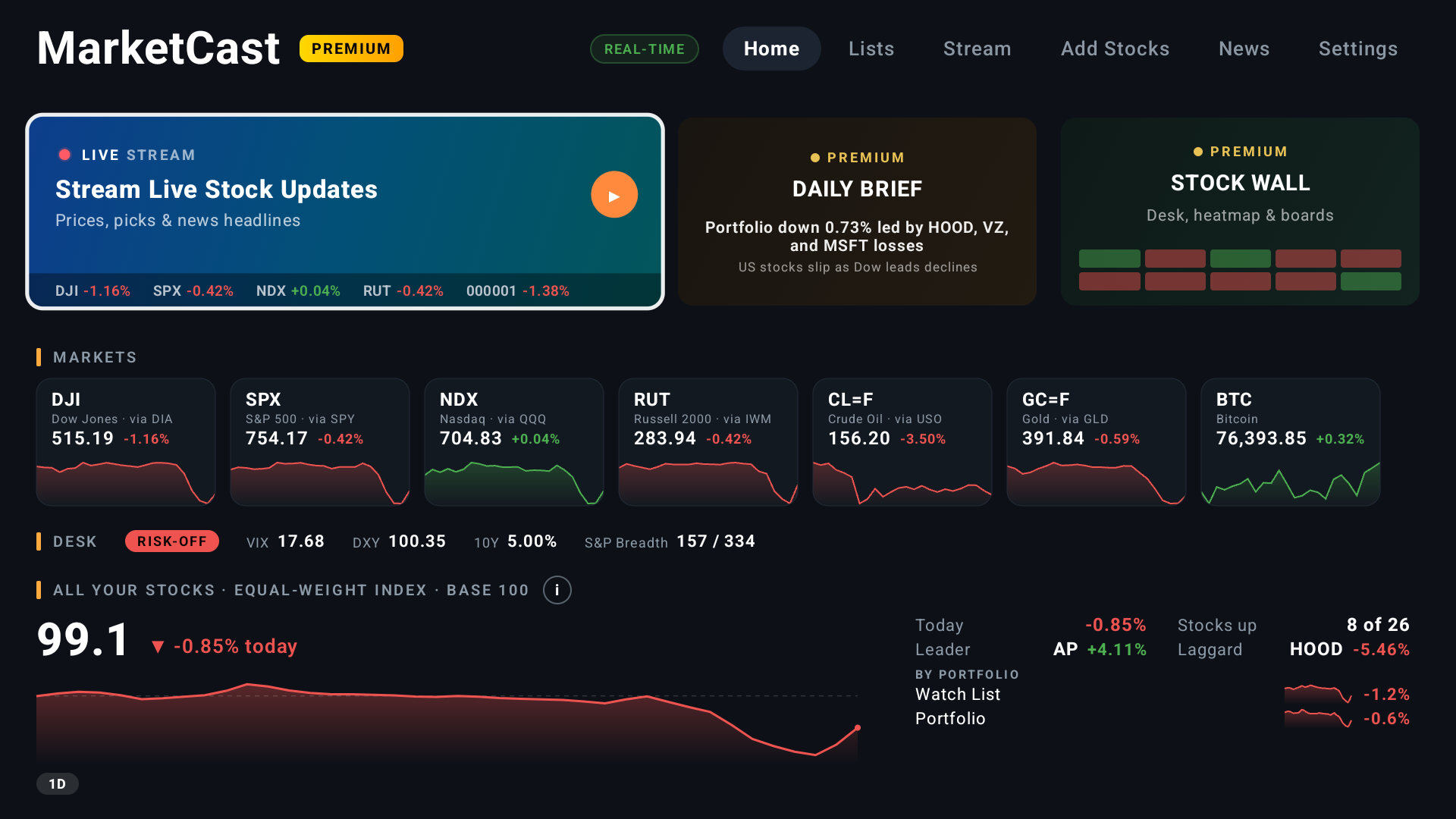
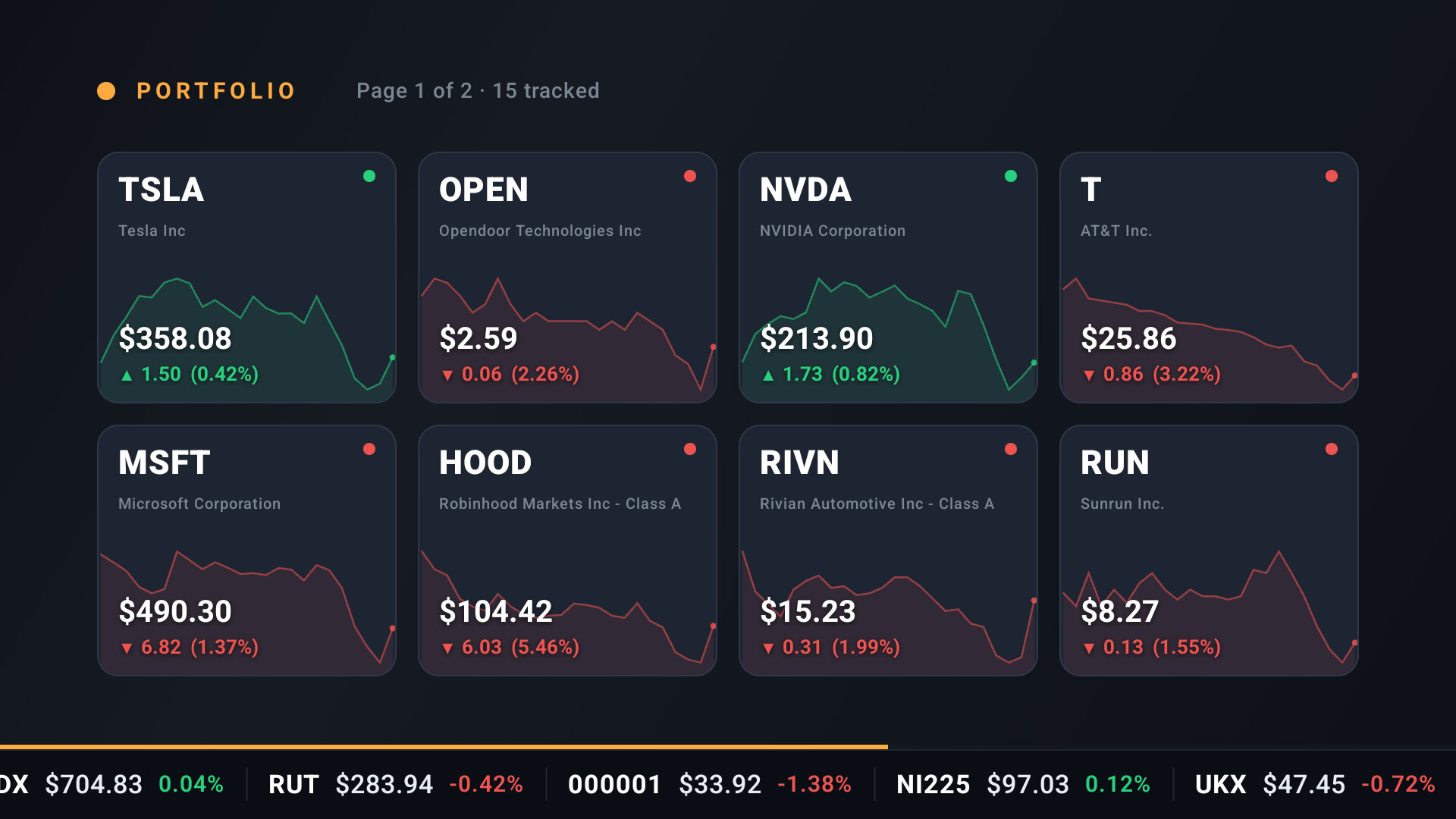
The MarketCast Home screen and the Stream, real screens from the app: your stocks with live prices, a stock chart, the S&P 500 heatmap, Congress trades, Market Desk and crypto.
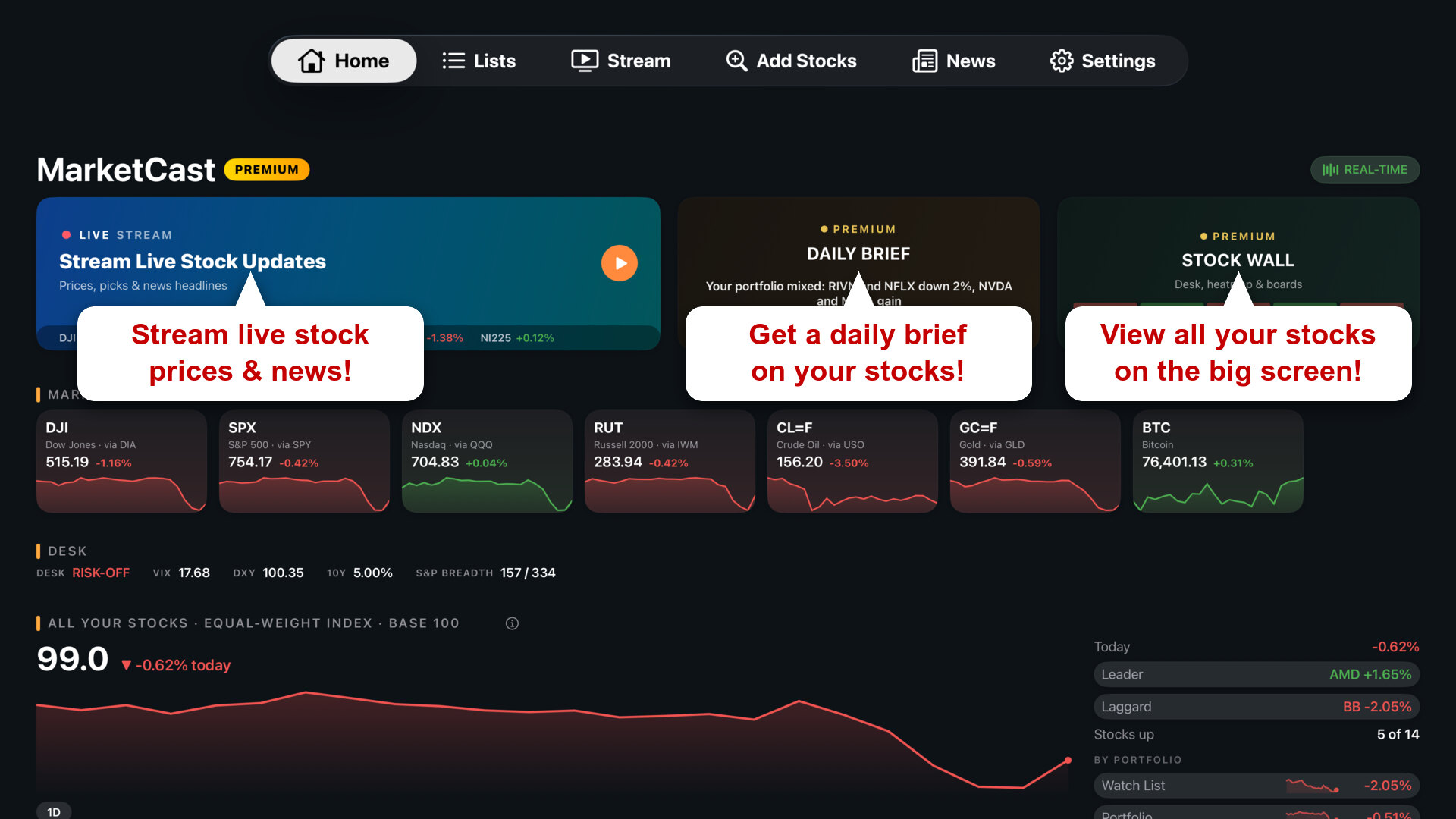
What is MarketCast?
The stock market and your portfolio, right on your TV.
Download the free app, add your stocks with the remote or from your phone, and watch the market come to life on the big screen. No laptop, no cables, no complicated software.
You get prices, charts and market news for US stocks, ETFs, crypto, currencies and the major indexes on Amazon Fire TV, Google TV, Android TV and Apple TV. Free to download, with Premium for real-time prices and Enterprise for firms that run screens.
For investors who'd rather glance than scroll
Built for How You Invest
Fast and Easy
Put your stocks on a wall-mounted display in minutes. Plug in a streaming device, then add stocks with the remote or by scanning a QR code with your phone. No computer hookups or complicated software.
Business or Personal
At home or at the office, MarketCast fits personal and professional investors alike. Running screens across a firm? See MarketCast Enterprise.
Free, No Account Needed
Open MarketCast and you are in: no sign-up, no password. Add your stocks and they stay saved. Sign in later with Google, Amazon or Apple if you want your lists on the web and on your other TVs.
Perfect for Your Market Wall
Loop prices and the news that matters on the big screen. Glanceable market info while you work, trade or unwind, all day long.
Discover Features
Free to download. The features marked Premium come with a Premium plan.
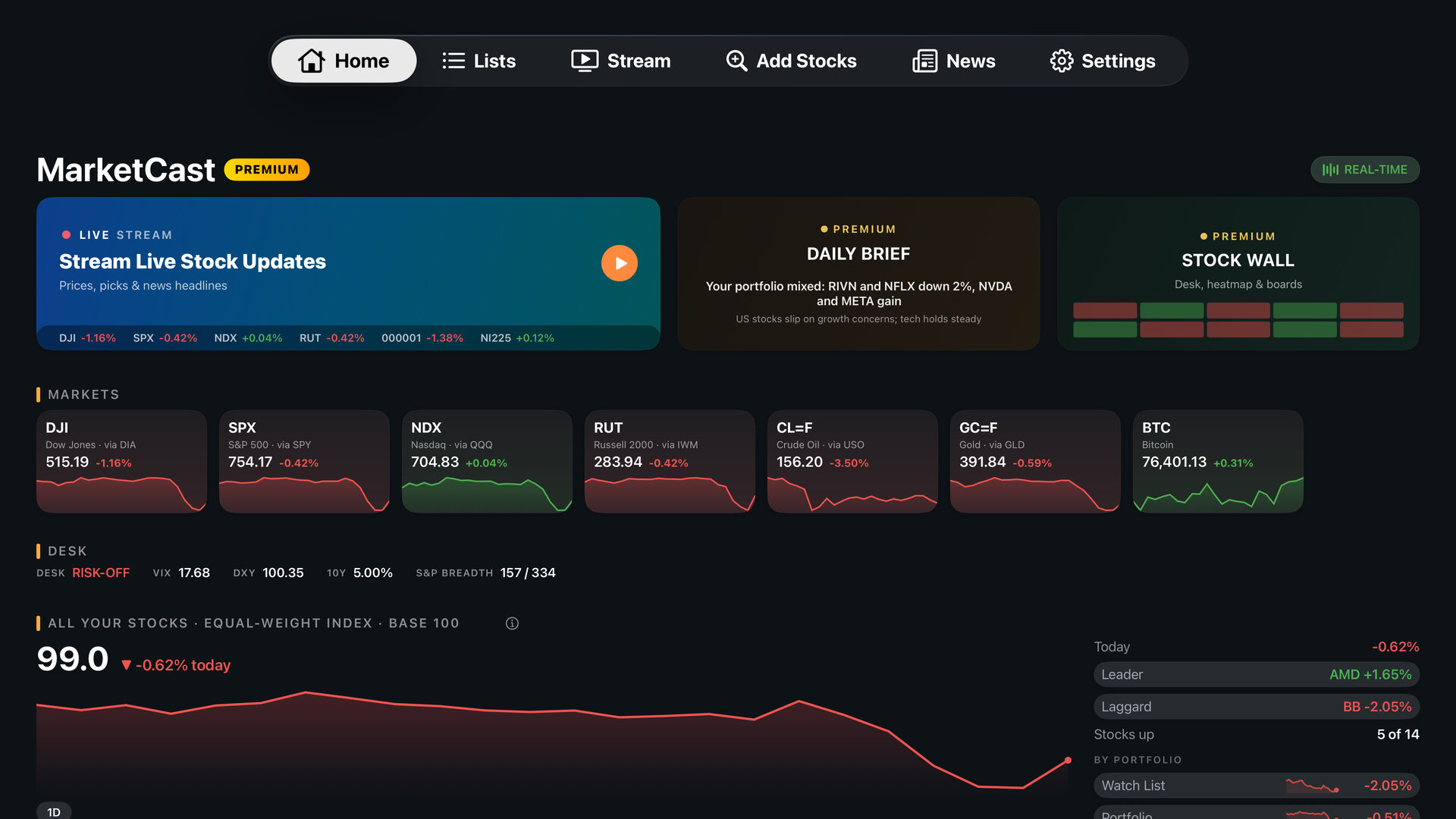
Markets, your stocks as one index, today's movers and the headlines, all at a glance on the MarketCast 7.0 Home screen.
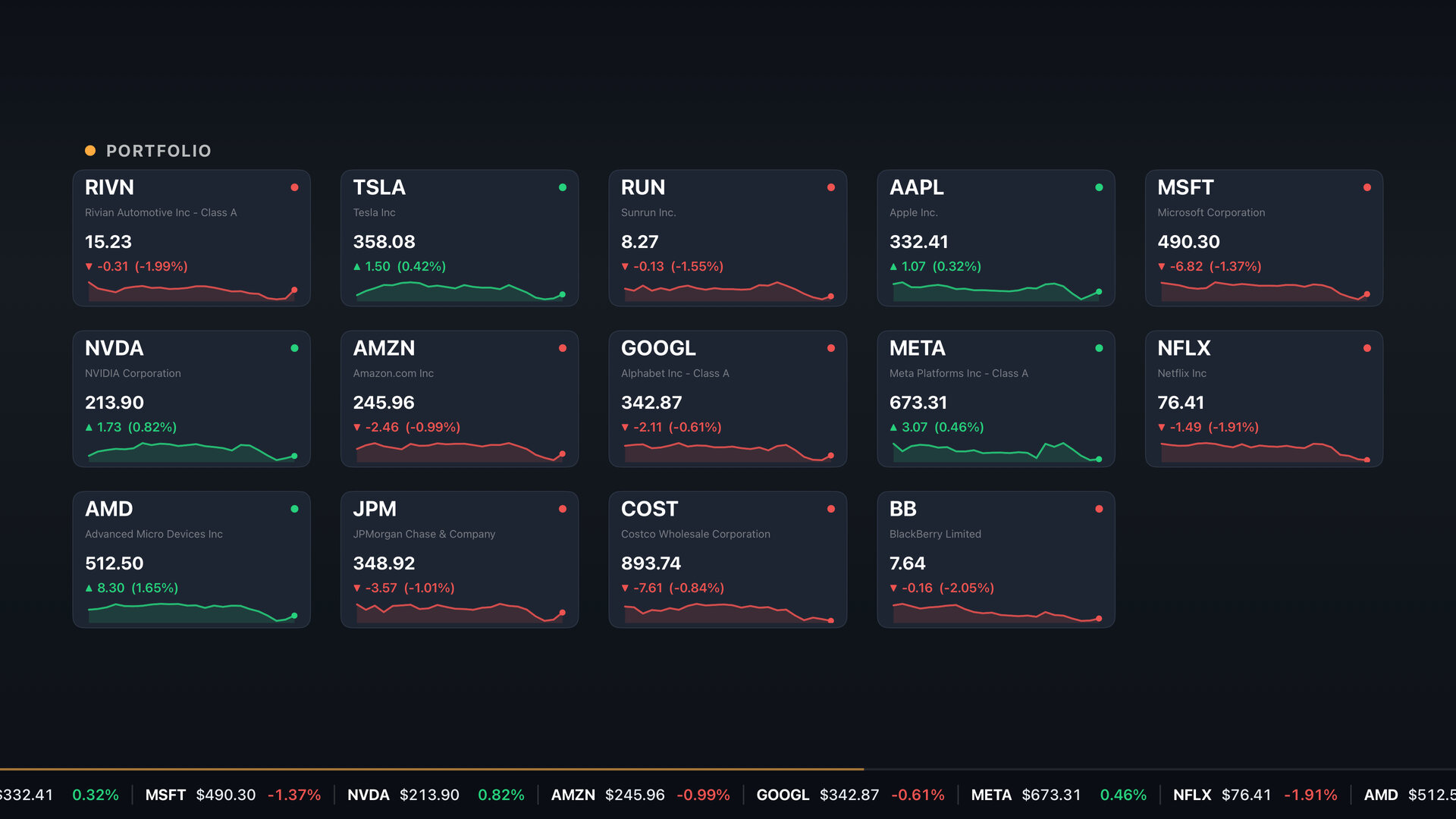
Your stocks, the market and the headlines cycling full screen on your TV, with a scrolling stock ticker tape. Turn it on and leave it on.
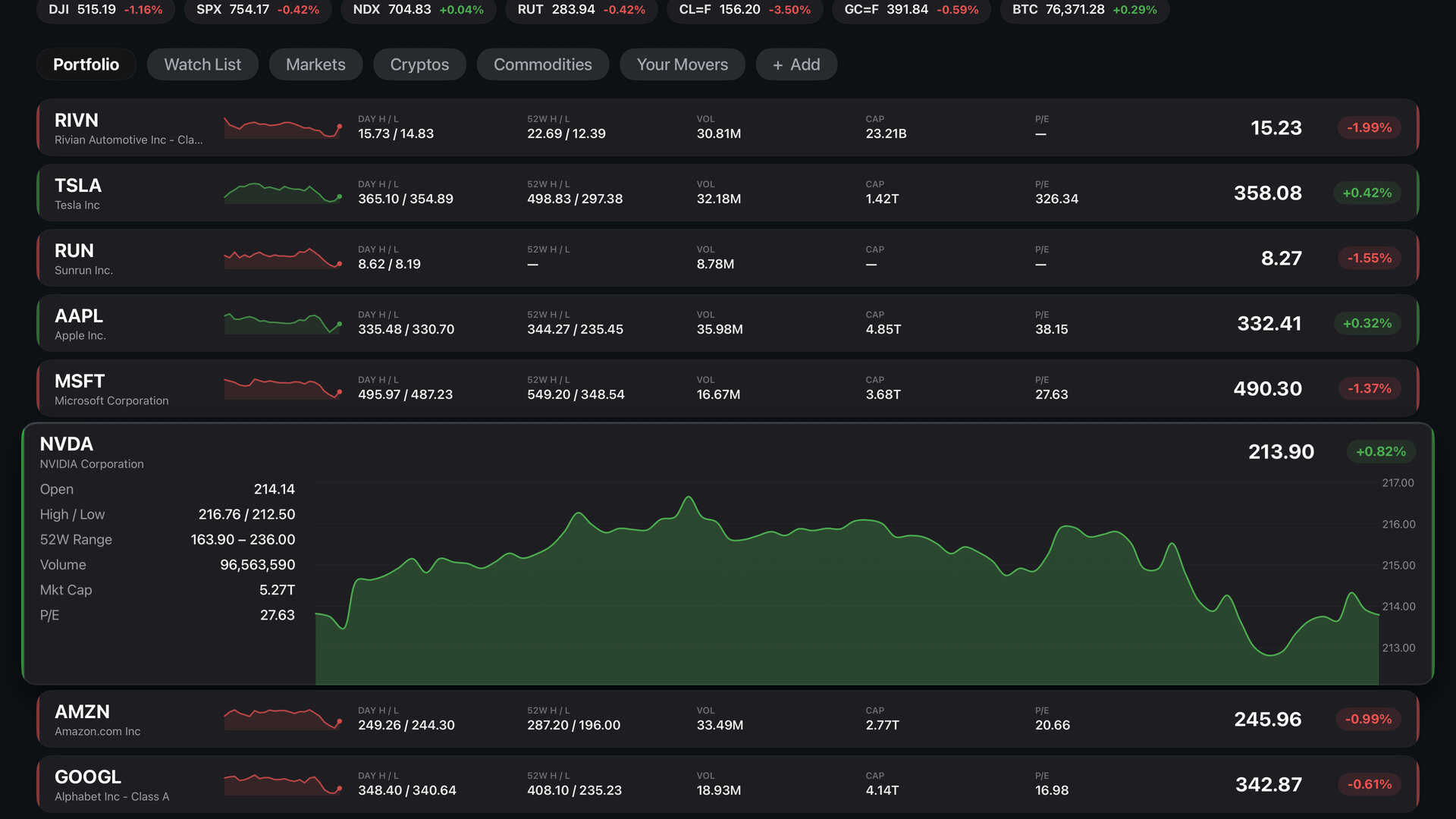
Your portfolio and watch list side by side in the Lists tab, with a price row and a trend line for every stock.
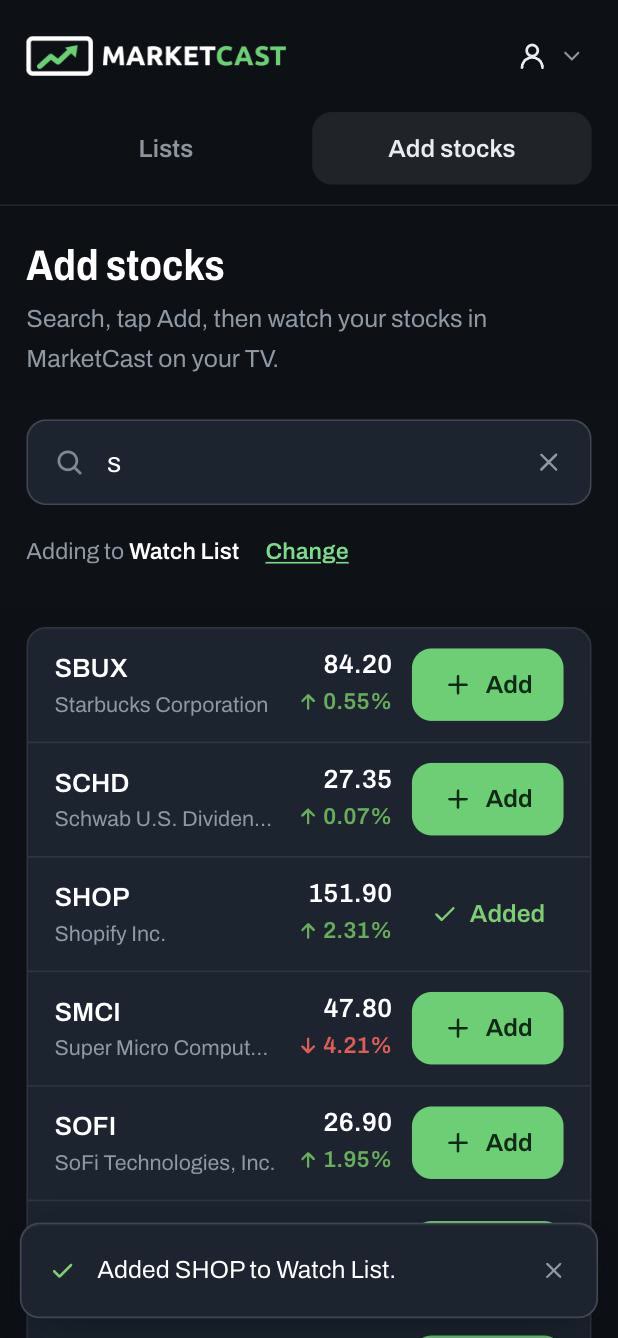
Scan the QR code on your TV and search from your phone. No typing with a remote.
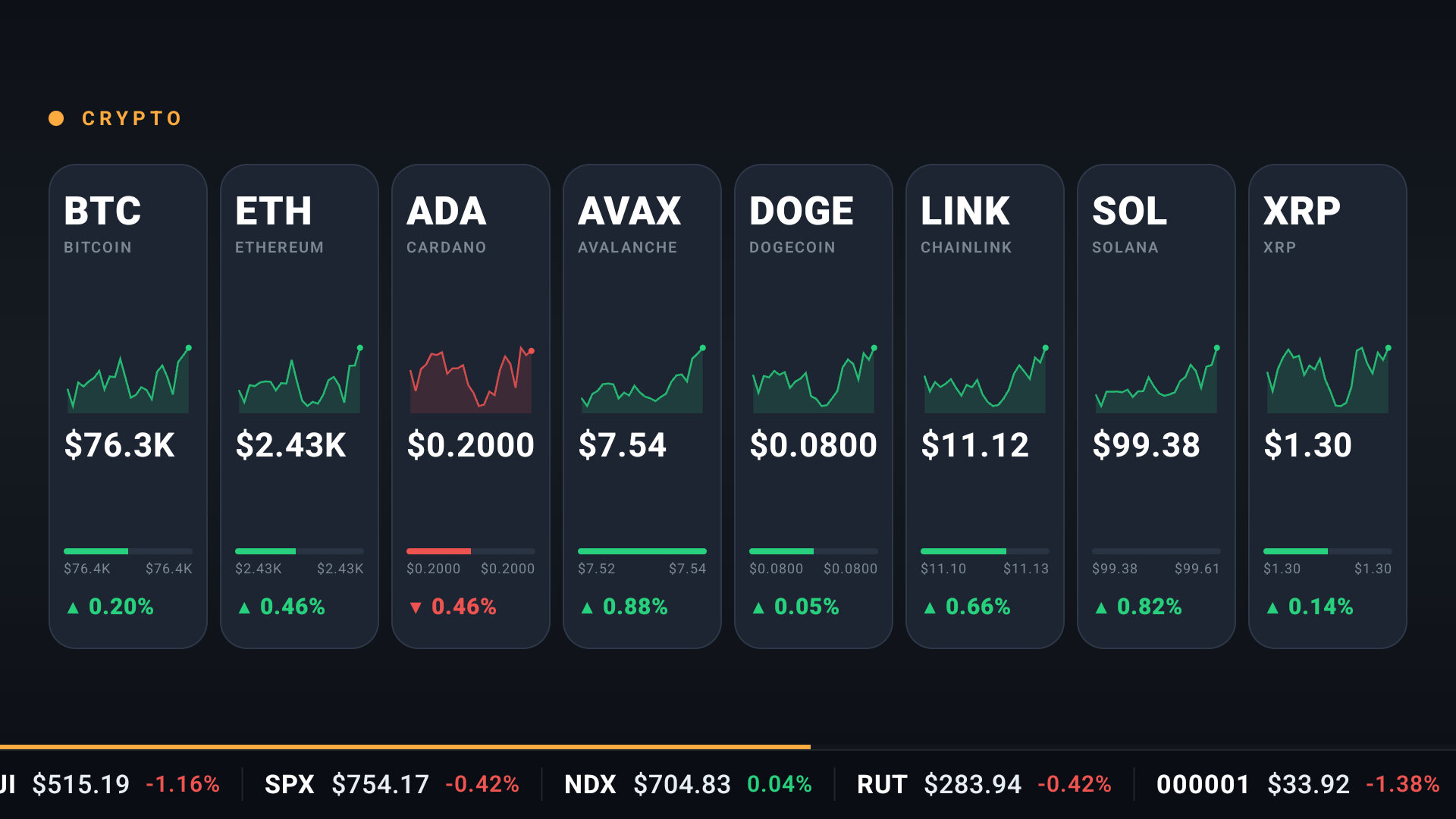
Up-to-the-second stock prices during US trading hours, plus crypto around the clock.
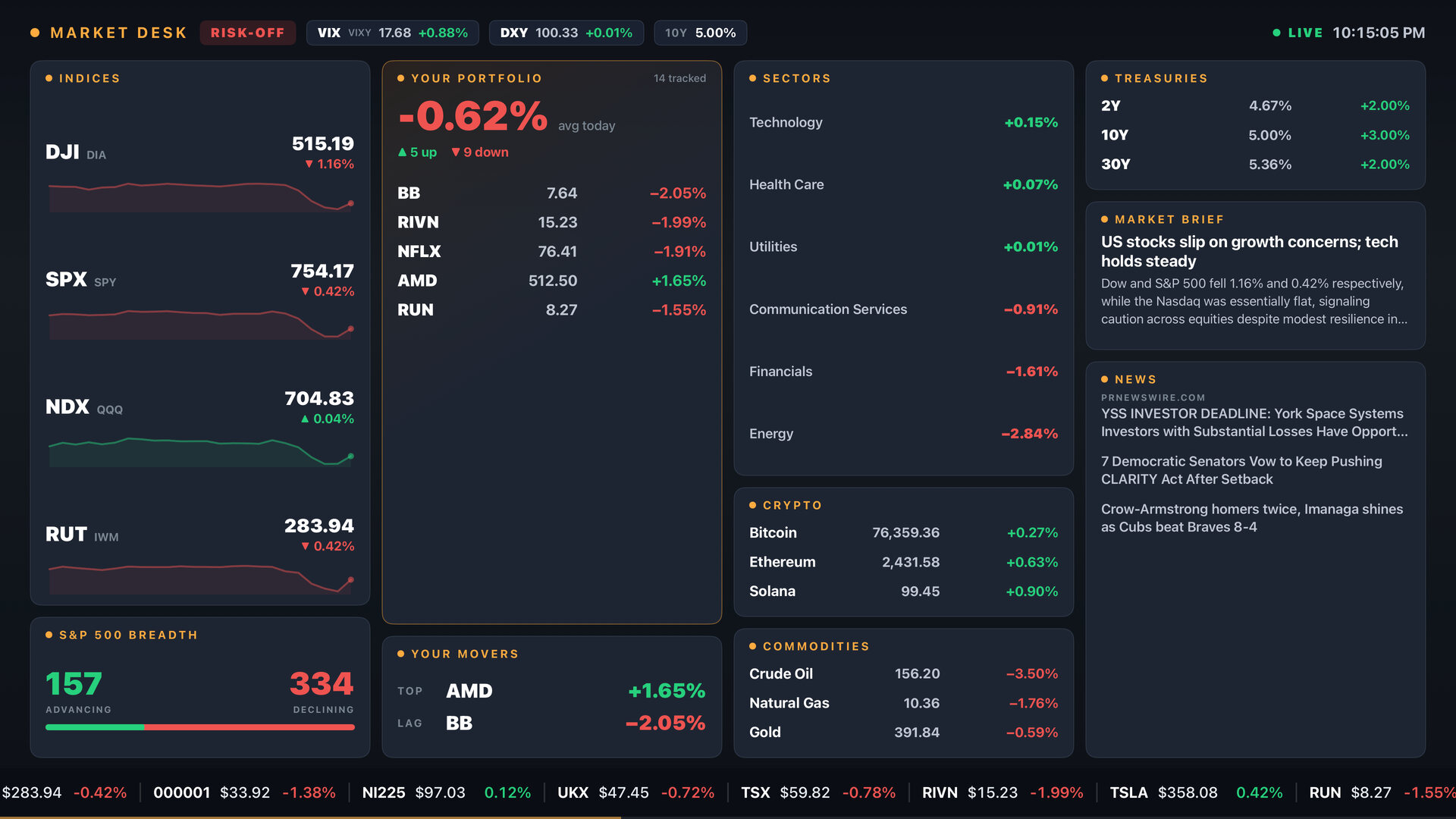
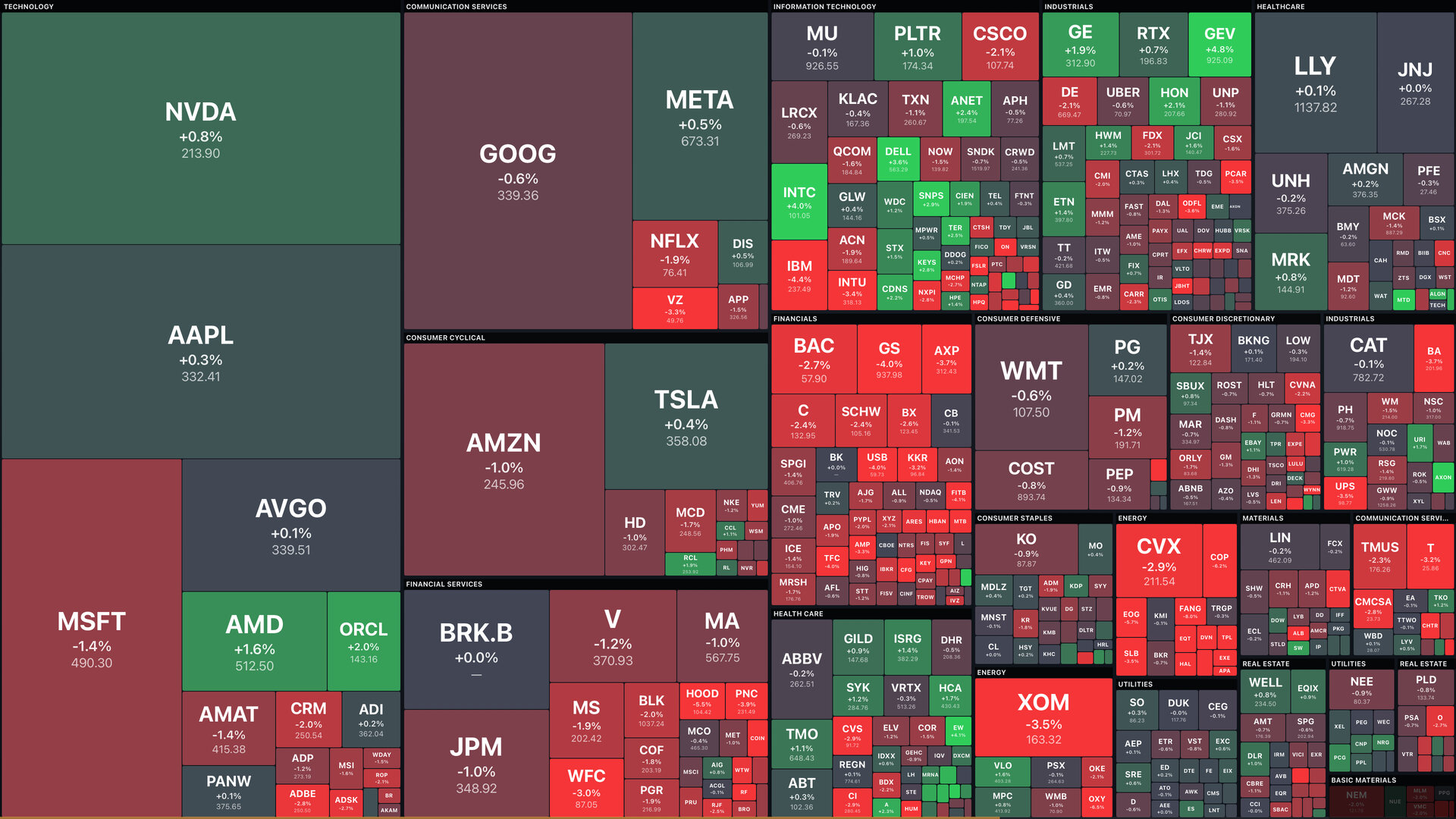
Heatmaps, boards and the whole market on one screen, from the S&P 500 to sectors and Treasury yields.
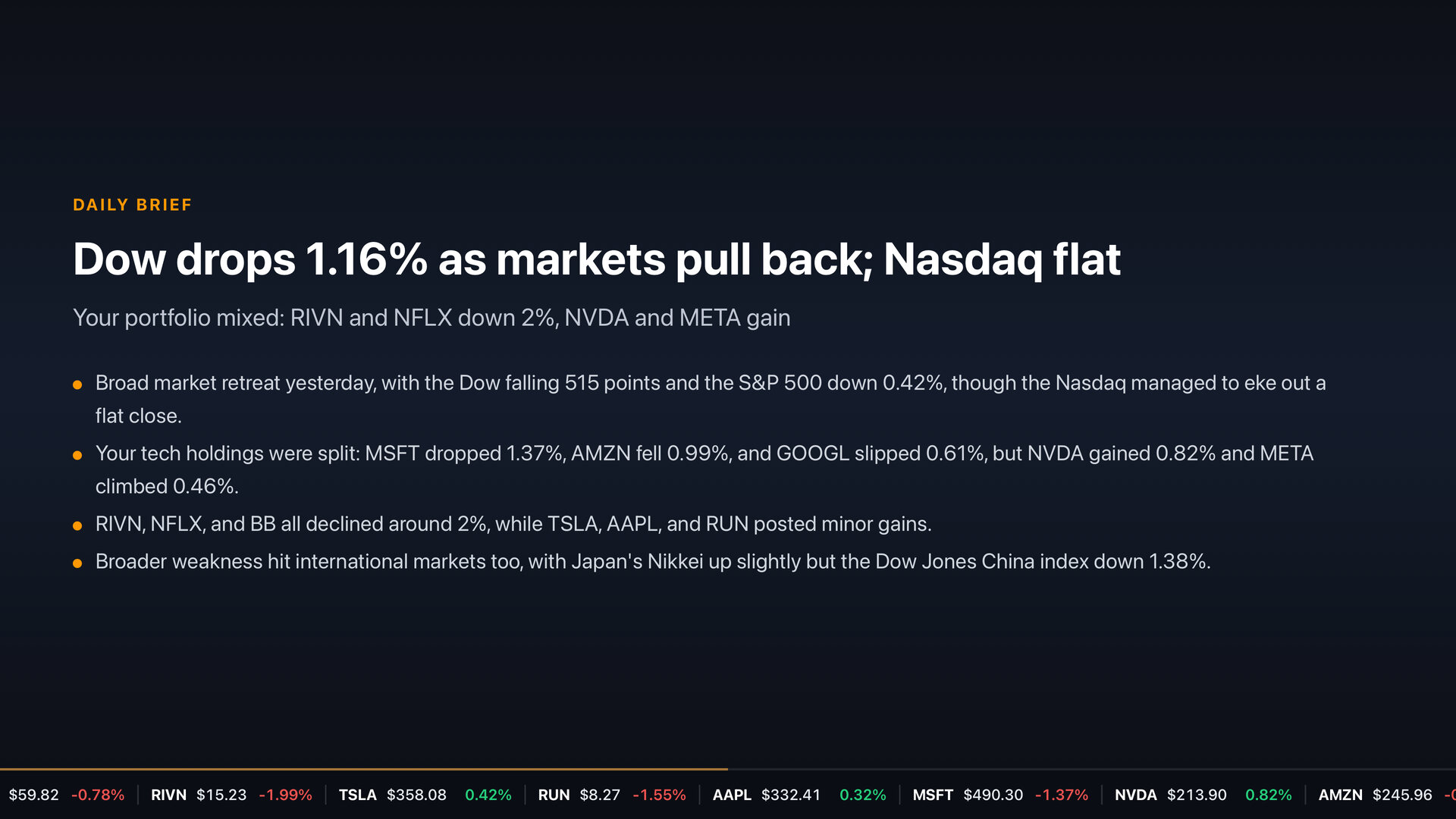
A short personal briefing on what moved your stocks today and what to watch next.
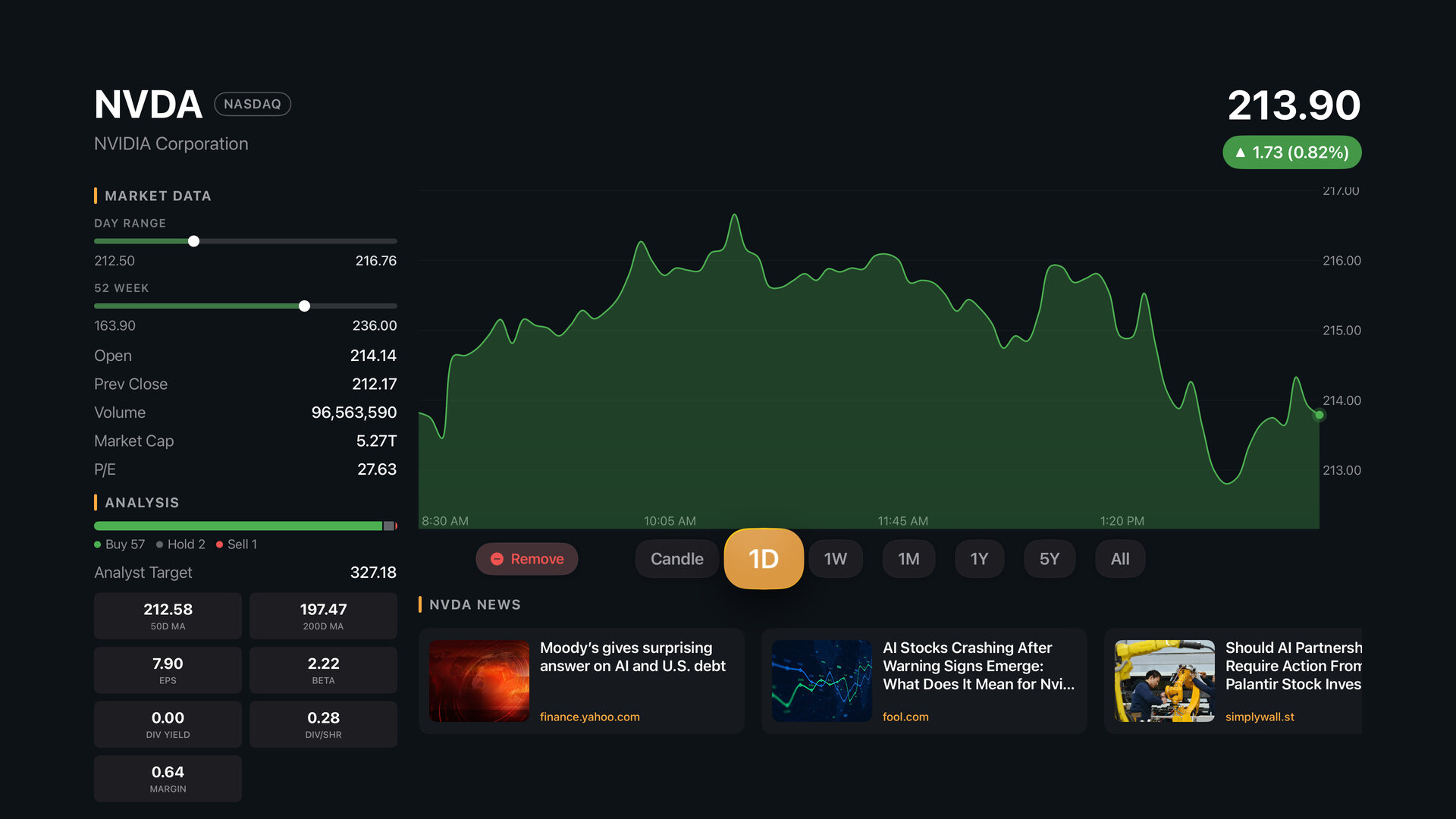
Price history from one day to five years, key stats and the latest news for any stock.
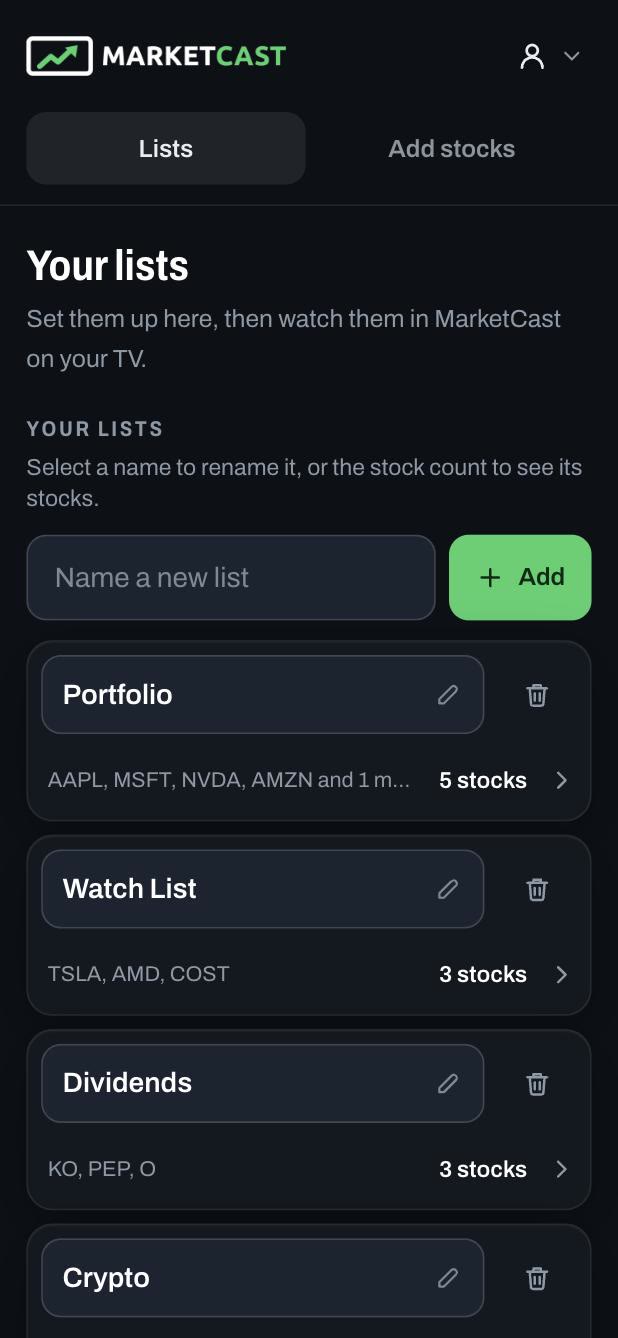
Your lists, from your phone
Set up and rename your lists, and add stocks by typing on your phone or computer instead of the TV remote. They show up in MarketCast on your TV, ready to watch.
- Scan the QR code on your TV and your lists open on your phone. No password needed.
- Or sign in on the web at account.marketcast.co, from any phone or computer.
Get the free app for your TV
Already use MarketCast? Sign in
TV and Streaming Device Compatibility
MarketCast is free on Apple TV, Fire TV and Google TV. No account needed: download it and put your stocks on the big screen.
Google TV & Android TV
MarketCast is available on all Google TV and Android TV devices, including Sony Bravia, Google TV Streamer, and Onn 4K Streaming Device.
Get on Google PlayAmazon Fire TV
MarketCast works on every Amazon Fire TV and Fire TV Stick, including the newest Vega OS models.
Get on AmazonApple TV
MarketCast is available on Apple TV. Download it free from the App Store, right on your TV.
Get on the App StoreWhat People Say
From recent reviews on Google Play and the Amazon Appstore.
★★★★★
“This app redesign is really nice. I love using it to passively stream my portfolio but the new dashboard also has been a creative way to glance and see the market in the morning.”
★★★★★
“We are using it at our office on a few TVs. it's great for the lobby and then we are streaming client portfolios in our personal offices. the updated pricing is well worth the monthly fee”
★★★★★
“So far am really liking this and running clean and smooth on my big screen ‘in the background’... Adds a nice and professional esthetic behind me on our live streams.”
★★★★★
“Wow this app has really become excellent with the improvements this year. We have it running all day in the firms lobby and clients are always asking what ‘channel’”
Latest from the Blog
- September 16, 2026
What's New in MarketCast 7.0: A New Home Screen, a Lists Tab, Currencies and More
A redesigned Home screen, a Lists tab for your portfolios and watch lists, a new stock detail screen, currencies and Congress Trades.
- April 1, 2026
How to Monitor Your Portfolio Without Becoming Obsessed
Research shows checking your portfolio too often leads to worse returns. Learn how to set up a healthy monitoring routine.
- March 22, 2026
Dividend Investing for Beginners
Learn the fundamentals of dividend investing and how to build a portfolio that generates passive income through compounding.
Download on App Stores
MarketCast is available on the Amazon App Store, the Google Play Store, and the Apple App Store!
Follow Us
Have a question or want to give some feedback? Follow us for updates!
Facebook · X