
What's New in MarketCast 7.2: Your Brokerage Account on Your TV
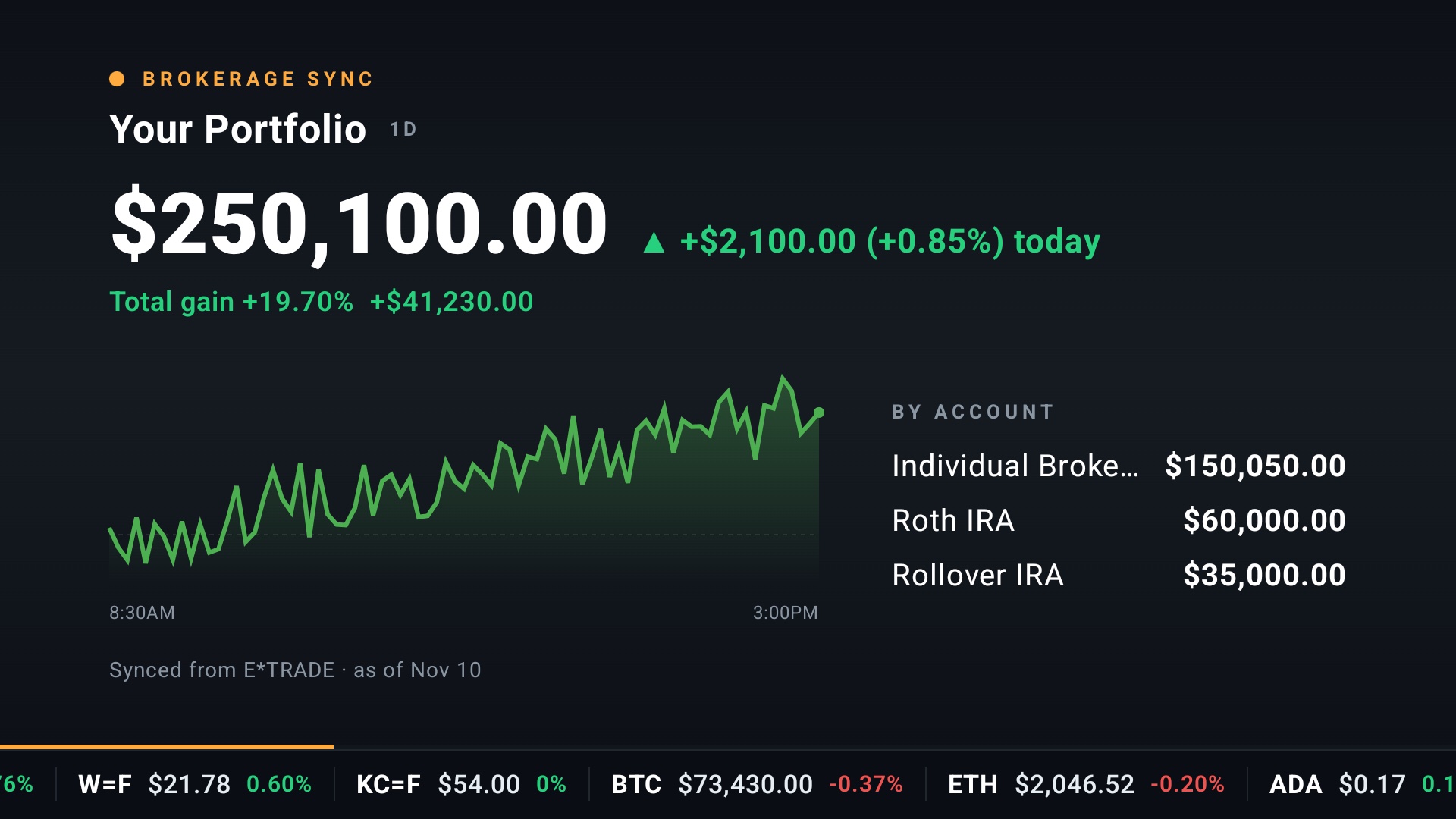
MarketCast 7.2 is shipping now, and it brings Brokerage Sync. Link your brokerage account once and your real portfolio is on your TV, right in the Stream.
Brokerage Sync is a Premium feature, available in the US only, on Android TV, Google TV and Fire TV. Availability varies by brokerage.
Your Portfolio in the Stream (Premium)
The Stream now has a full-screen Your Portfolio scene. It shows your total value, today's change, your total gain, a one-day chart and your top accounts. When there is no session data to chart, you see one month instead.
Your Portfolio on Home (Premium)

Home gets a Your Portfolio band with the same figures, a chart you can switch between one day and one month, your cash, and a breakdown by account.
Your Accounts in Lists (Premium)
Each account you link shows up in the Lists tab as a synced list of its holdings.
Hide the Dollars
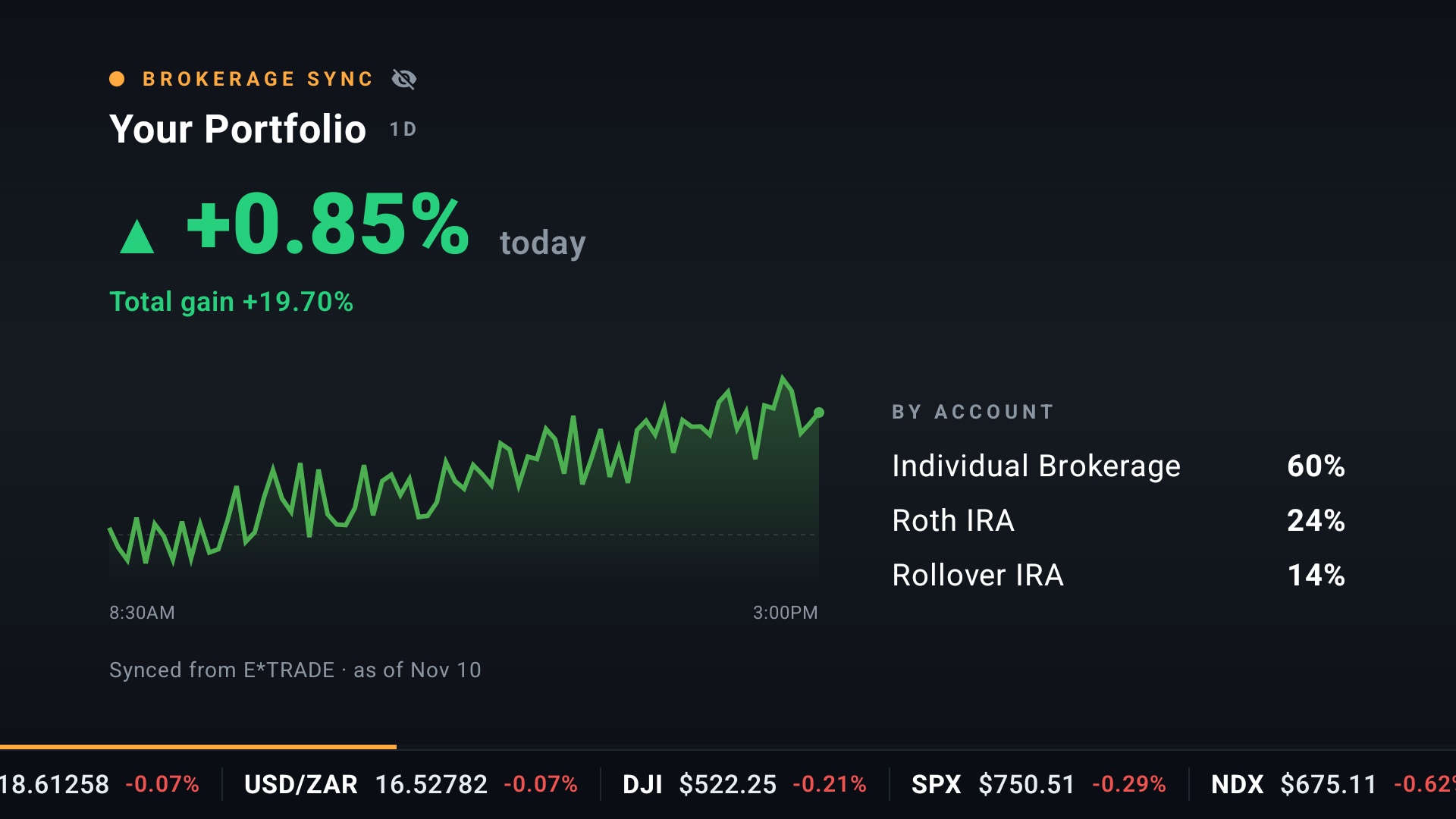
Not everyone in the room needs to see your balance. Press the eye on the Home band, or use the button on the Brokerage Synced Chart row in Stream settings, and that TV shows percentages only. Dollar amounts and dollar changes disappear and the chart stays. It suits an office, a lobby or a night with guests. Dollars show by default.
How to Connect
- On your TV, open Settings, then Brokerage.
- Scan the QR code with your phone.
- Finish connecting your US brokerage account on your phone.
You can also connect or disconnect from your phone at account.marketcast.co.
Read-Only
Brokerage Sync is read-only. MarketCast sees your holdings and never trades, places orders or moves money.
Brokerage connections are handled by Plaid.
How to Get MarketCast 7.2
If automatic updates are on for your TV, MarketCast 7.2 will install on its own when it reaches your device. You can also update from Google Play on Android TV and Google TV, or the Amazon Appstore on Fire TV. Brokerage Sync comes with MarketCast Premium.
We would like to hear what you think. Send us feedback from Settings in the app, or reach us through our contact page.
MarketCast is not a broker-dealer or investment adviser and provides information, not advice.
About the author: This article was written by the MarketCast team at ADAMAPPS LLC. As the developers behind MarketCast, we build tools to help everyday investors access financial data on their TVs. Our perspective comes from years of building apps across every major streaming platform. Learn more about us.
Put the market on your TV
Your stocks, the market and the headlines, cycling full screen. Free to download, no account needed.