
What's New in MarketCast 7.0: A New Home Screen, a Lists Tab, Currencies and More
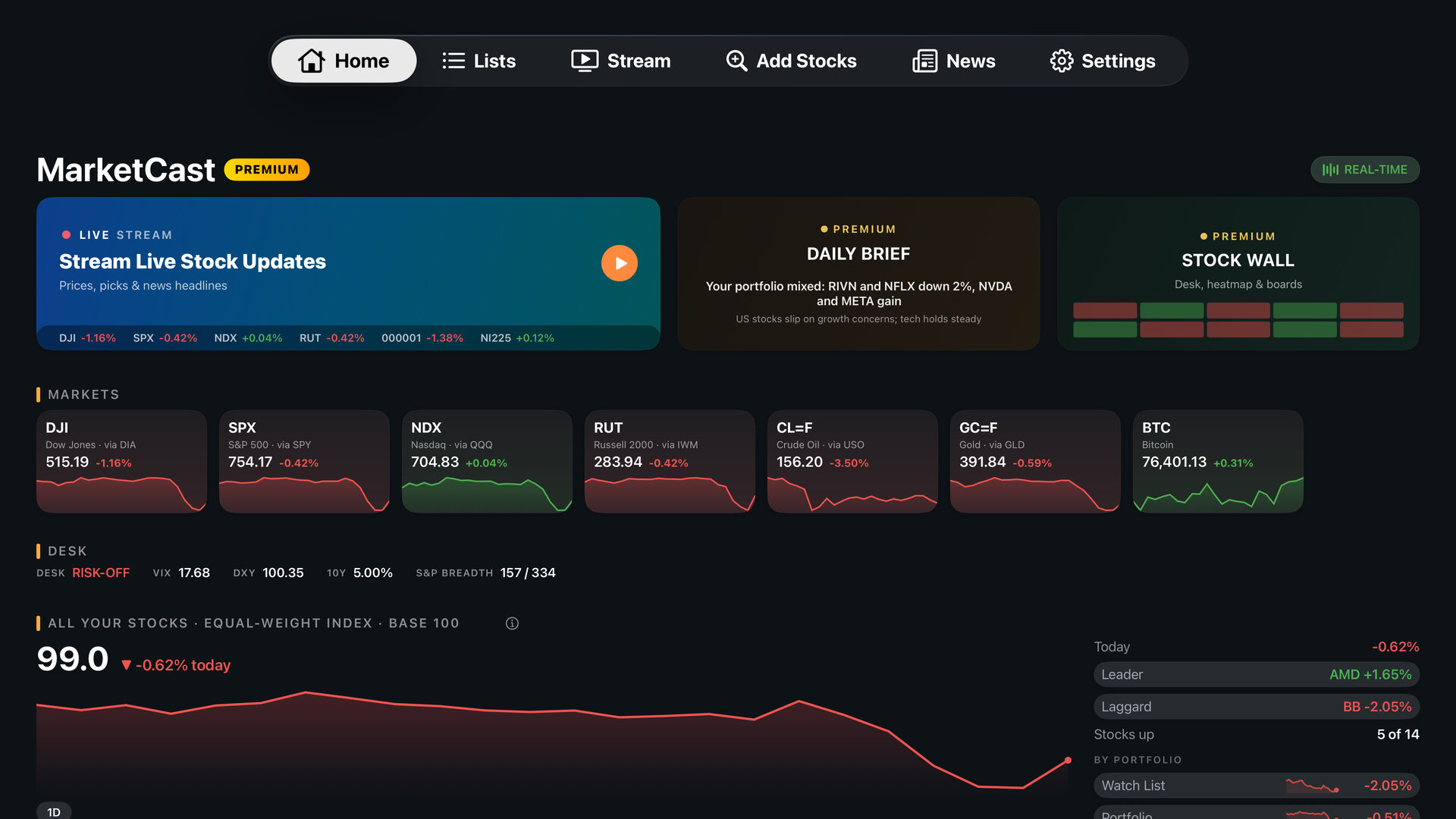
MarketCast 7.0 is rolling out now on Apple TV, Android TV, Google TV and Fire TV. It gives the app a new Home screen, moves your portfolios and watch lists into their own Lists tab, redesigns the stock detail screen, and adds two new kinds of market data to your TV: currencies, and the stock trades that members of Congress are required to disclose.
The update is free. Some of the features below need MarketCast Premium, and we have labeled each one so you can see what comes with the free app and what comes with a subscription.
A Home Screen Built for a Quick Look
A bar across the top of the app now takes you straight to Home, Lists, Stream, Add Stocks, News and Settings. Home opens with three doors: the Stream, the Daily Brief and the Stock Wall. The Stream door plays a preview of movers and headlines, so you can see what the market is doing before you press play.
Below the doors, market cards cover the major indexes (shown through the ETFs that track them), bitcoin, oil and gold. Under those, one line tracks how the stocks in your lists are doing today, as an equal-weighted index that starts each day at 100, with a breakdown for each list. The rest of the free Home screen includes:
- Your Stocks: your own stocks, listed right on Home.
- Market Movers: the day's biggest gainers and losers in the S&P 500.
- 52-Week Watch: a flag on any of your stocks trading near its 52-week high or low.
- Popular on MarketCast: the stocks followed by the most people on MarketCast.
- Business News: the latest market headlines.
With Premium, Home also shows Your Movers (the biggest moves among your own stocks), the day's leader and laggard in your lists, Sector Pulse, The Street Says (analyst price targets for your stocks and how far each one sits from its target), a Desk strip with volatility, the dollar, the 10-year Treasury yield and S&P 500 breadth, the Treasury yield curve, and Portfolio News. Premium subscribers can also add Currencies and Congress Trades rows, both covered below.
Your Lists Have Their Own Tab
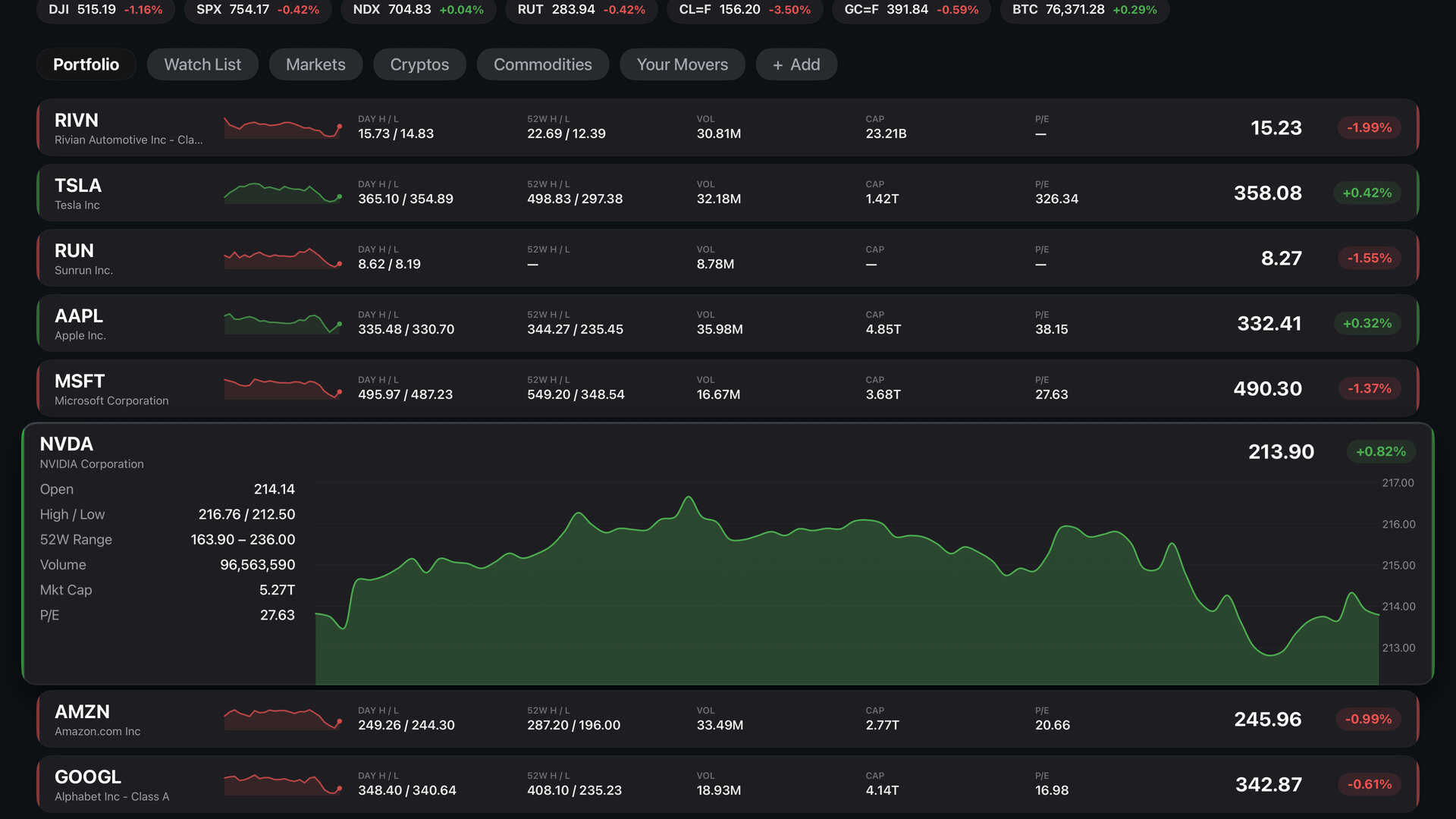
Your portfolios and watch lists now live in the new Lists tab. Each list gets its own tab along the top, and the stock rows below grow to show a price chart as you move through them with the remote. Press any row to open the full stock detail screen.
The free plan includes a default portfolio and a watch list, with room for up to 15 stocks. With Premium, you can create your own lists and add as many stocks as you like. To start a new list, choose + Add next to your list tabs.
A Redesigned Stock Detail Screen
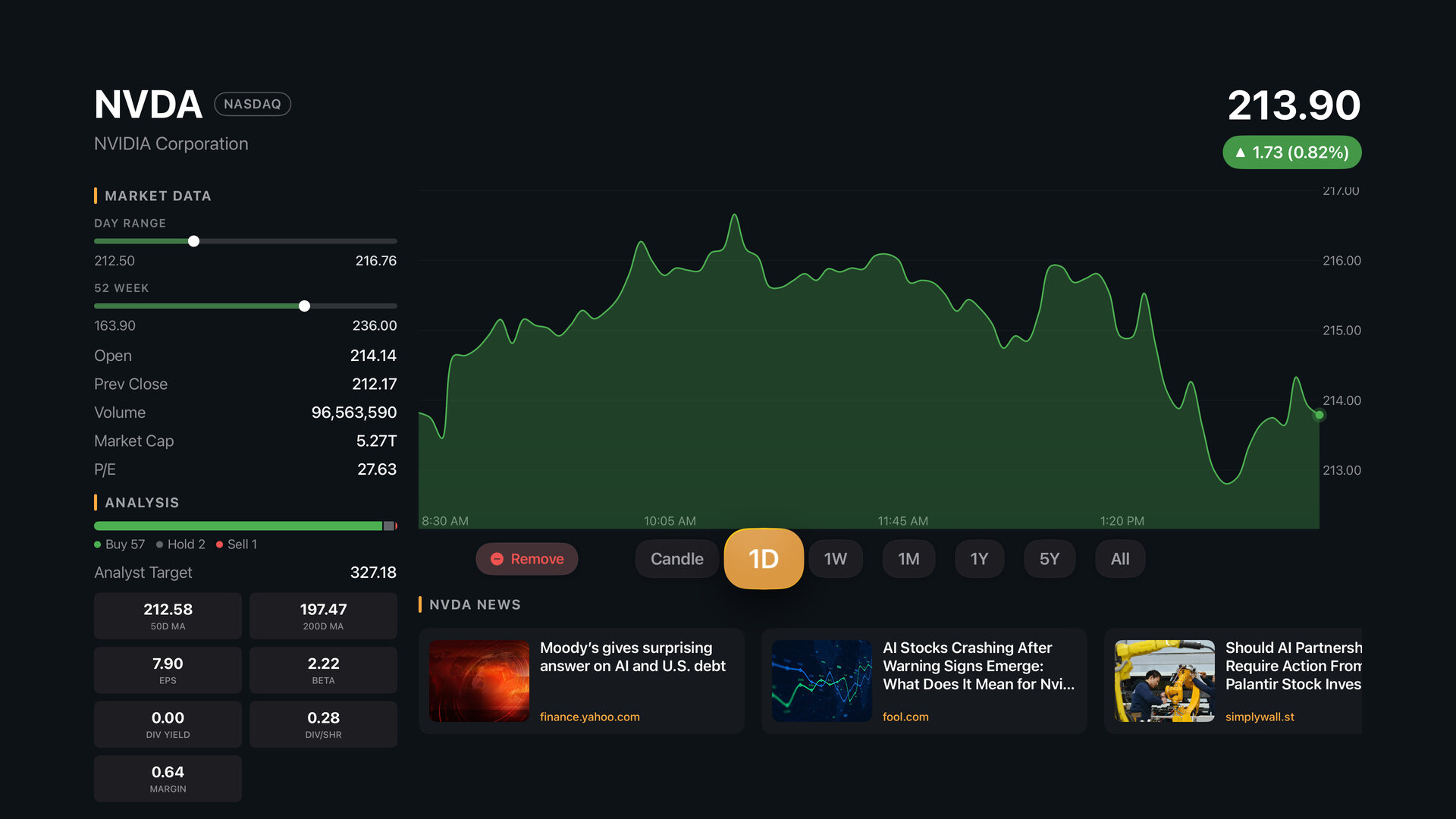
Pressing a stock opens a new full-screen view with market data on the left and a large price chart on the right. You can change the time frame, switch to a candlestick chart where one is available, and add or remove the stock without leaving the screen. With Premium, the screen also shows fundamentals, the analyst consensus and price target, and recent news about that stock.
Add Stocks From Your Phone
Typing ticker symbols with a TV remote is slow, so the Add Stocks screen now keeps a QR code on screen the whole time. Scan it with your phone's camera, search for stocks on your phone, and each one you add shows up on your TV by itself. There is no app to install and nothing to sign in to on your phone.
Premium subscribers can also create, rename and delete lists from their phone by scanning the QR code on the screen where you manage your lists.
More to Watch in the Stream
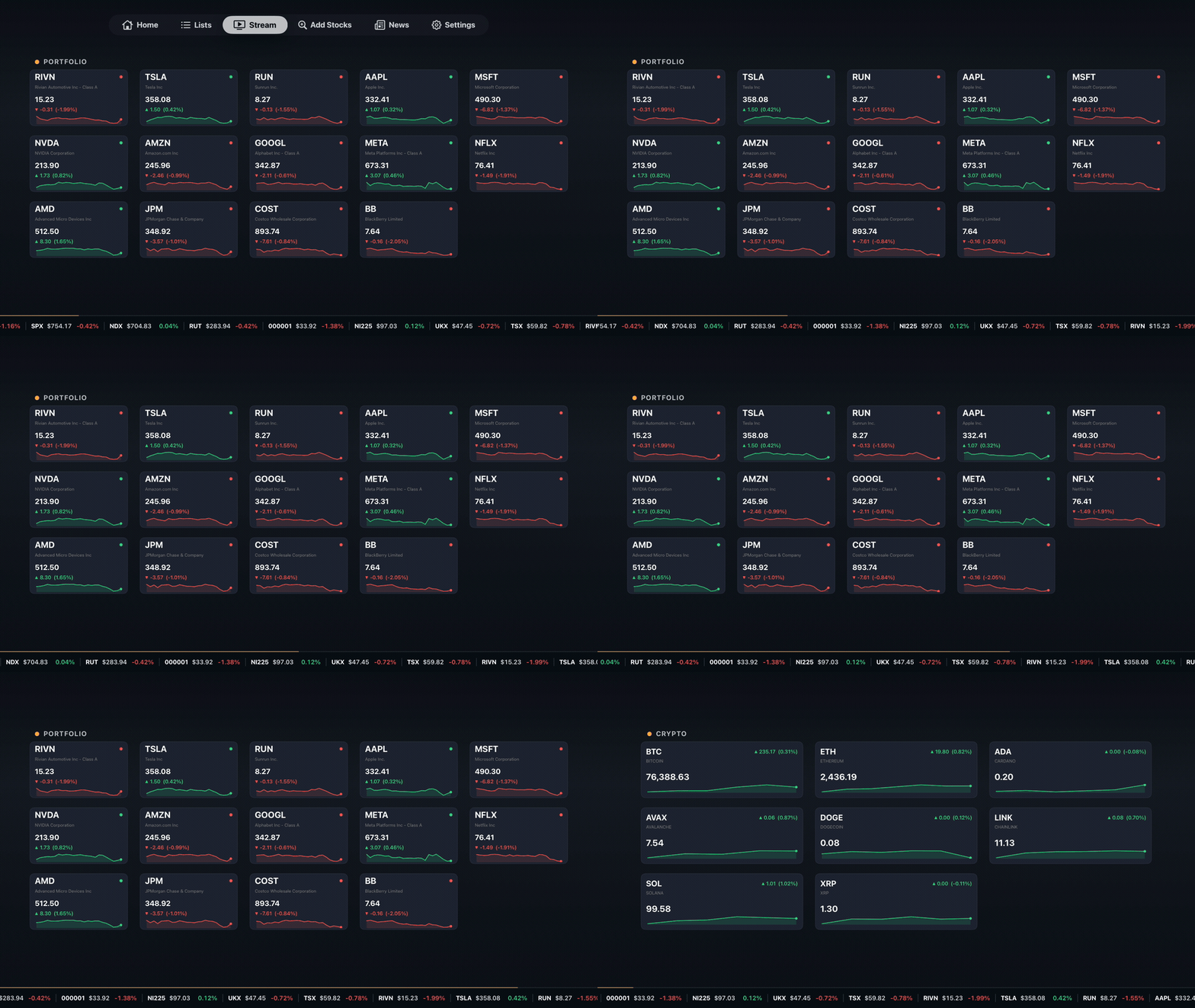
The Stream is still the center of MarketCast: a full-screen rotation of prices, charts and headlines, with ambient background music, made to run in the background all day. In 7.0, Market Movers joins the free rotation, and the ticker tape along the bottom of the screen now carries currency pairs for every account.
With Premium, the Stream adds more scenes, including Your Movers, Earnings Today, the Sector Heatmap, Portfolio News, a Daily Brief Preview and the Stock Walls, and you can choose exactly which scenes play and what scrolls across the tape.
New: Currencies
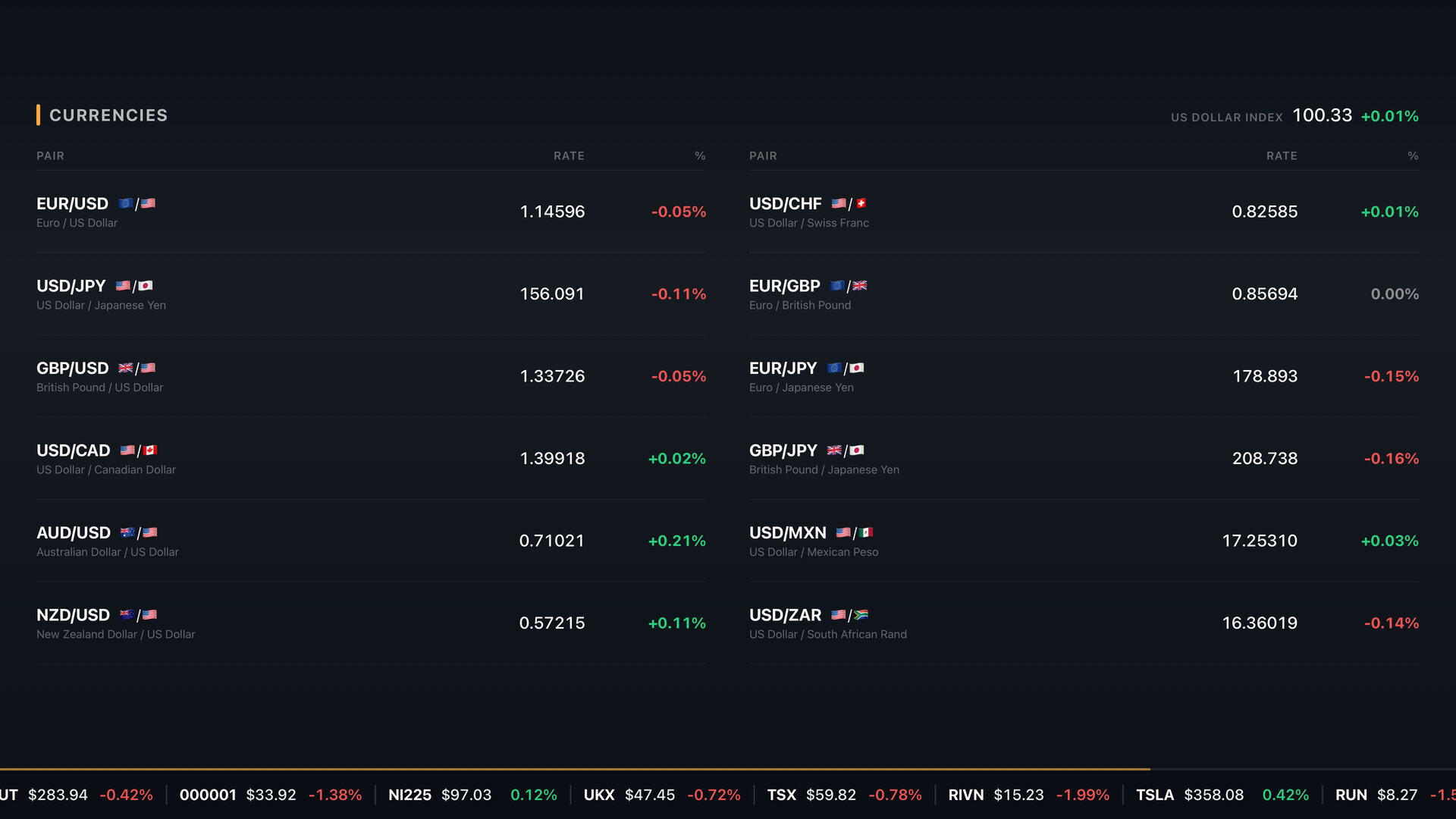
MarketCast now follows twelve currency pairs, including EUR/USD, USD/JPY, GBP/USD and USD/CAD, along with the U.S. Dollar Index.
- Free: currencies scroll across the Stream's ticker tape, switched on by default.
- Premium: a full Currencies scene for the Stream and a Currencies row for Home. Both start switched off, so turn them on in Settings when you want them.
New: Congress Trades (Premium)
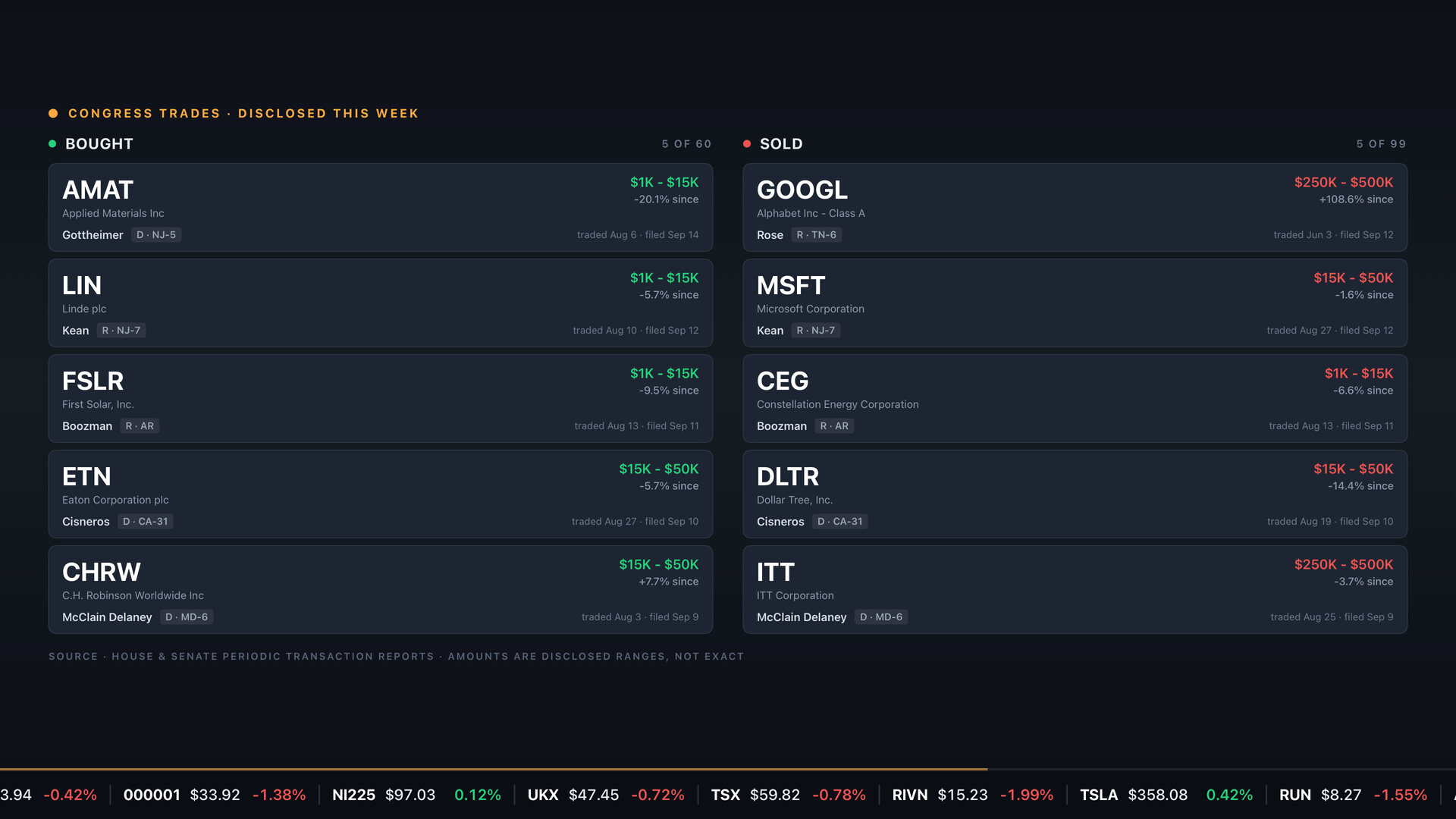
Under the STOCK Act, members of Congress have to publicly report their stock trades. Congress Trades gathers those House and Senate filings and shows what members disclosed buying and selling, with one card per member. Each card shows both the date of the trade and the date it was filed, because reports often arrive weeks after the trade, and amounts appear as the disclosed ranges rather than exact figures. House filings keep updating; Senate filings stop in late October 2026, when the Senate's disclosure site began blocking automated access.
Congress Trades is available to Premium subscribers as a Stream scene and a Home row. It starts switched off, so turn it on in Settings. It is a public record shown for your information, not a signal to trade on.
Daily Brief, Stock Walls and Real-Time Prices (Premium)
Daily Brief. An AI-written rundown of your own stocks: a headline, a one-line summary of your portfolio, a handful of takeaways that mention the tickers you follow, and what to watch today. It plays as a full-screen slideshow with its own music, and when it ends you can have the Stream start on its own.
Stock Walls. Four full-screen market displays: Market Desk, My Stocks, S&P 500 and Stock Board. Open them from the Stock Wall door on Home. The free plan can watch a short preview.
Real-time prices. Real-time pricing for stocks, and for crypto around the clock. The REAL-TIME indicator at the top of the screen shows whether real-time prices are on, and Premium subscribers can switch them on or off right from it.
Portfolio News. The News tab has two sides: Business News for everyone, and Portfolio News, with headlines about the stocks you follow, for Premium subscribers.
How to Get MarketCast 7.0
If automatic updates are on for your TV, MarketCast 7.0 will install on its own as it reaches your device. You can also update from the App Store on Apple TV, Google Play on Android TV and Google TV, or the Amazon Appstore on Fire TV. New to MarketCast? Download it free, then follow our setup guide to put your first stocks on screen.
MarketCast is free to download and use, with an optional Premium subscription that includes a free trial for eligible new subscribers. Your portfolios sync across Apple TV, Android TV, Google TV and Fire TV.
We would like to hear what you think of the new Home screen. Send us feedback from Settings in the app, or reach us through our contact page.
MarketCast is not a broker-dealer or investment adviser and provides information, not advice.
About the author: This article was written by the MarketCast team at ADAMAPPS LLC. As the developers behind MarketCast, we build tools to help everyday investors access financial data on their TVs. Our perspective comes from years of building apps across every major streaming platform. Learn more about us.
Put the market on your TV
Your stocks, the market and the headlines, cycling full screen. Free to download, no account needed.